Social media, SEO and performance
Social profile links, structured data and breadcrumb options.

Add the full link to each profile, for example https://instagram.com/yourroastery. Icons appear in the announcement bar, footer, mobile menu and password page where you turn them on. Leave a field empty to hide that icon.
Structured data
Caffenza adds structured data (JSON-LD) for products, articles, recipes, breadcrumbs and FAQs, which helps search engines understand your pages. Only turn it off if an SEO app adds its own.
Screenshots
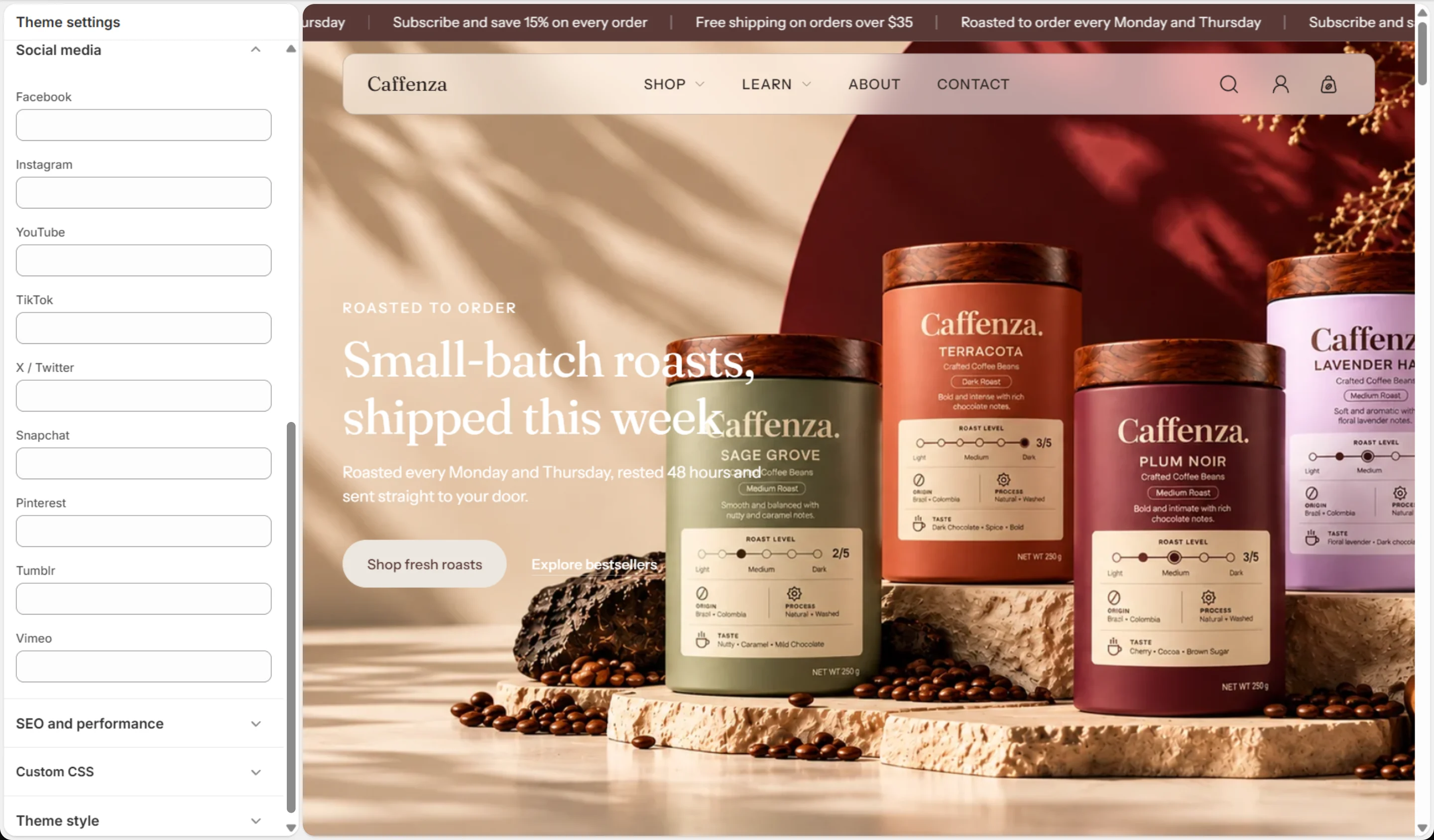
Social media
| Setting | Options | What it does |
|---|---|---|
| Text | ||
| Text | ||
| YouTube | Text | |
| TikTok | Text | |
| X / Twitter | Text | |
| Snapchat | Text | |
| Text | ||
| Tumblr | Text | |
| Vimeo | Text |
SEO and performance
| Setting | Options | What it does |
|---|---|---|
| Disable structured data (JSON-LD) | On / Off | Removes the theme's JSON-LD markup. Disable only if a third-party SEO app injects its own schema. |
| Improve product breadcrumb navigation | On / Off | Adds collection context to the breadcrumb by reading the referring/primary collection. Does not alter or duplicate the product's canonical URL. |