Comparison table
Compare coffees or plans side by side.
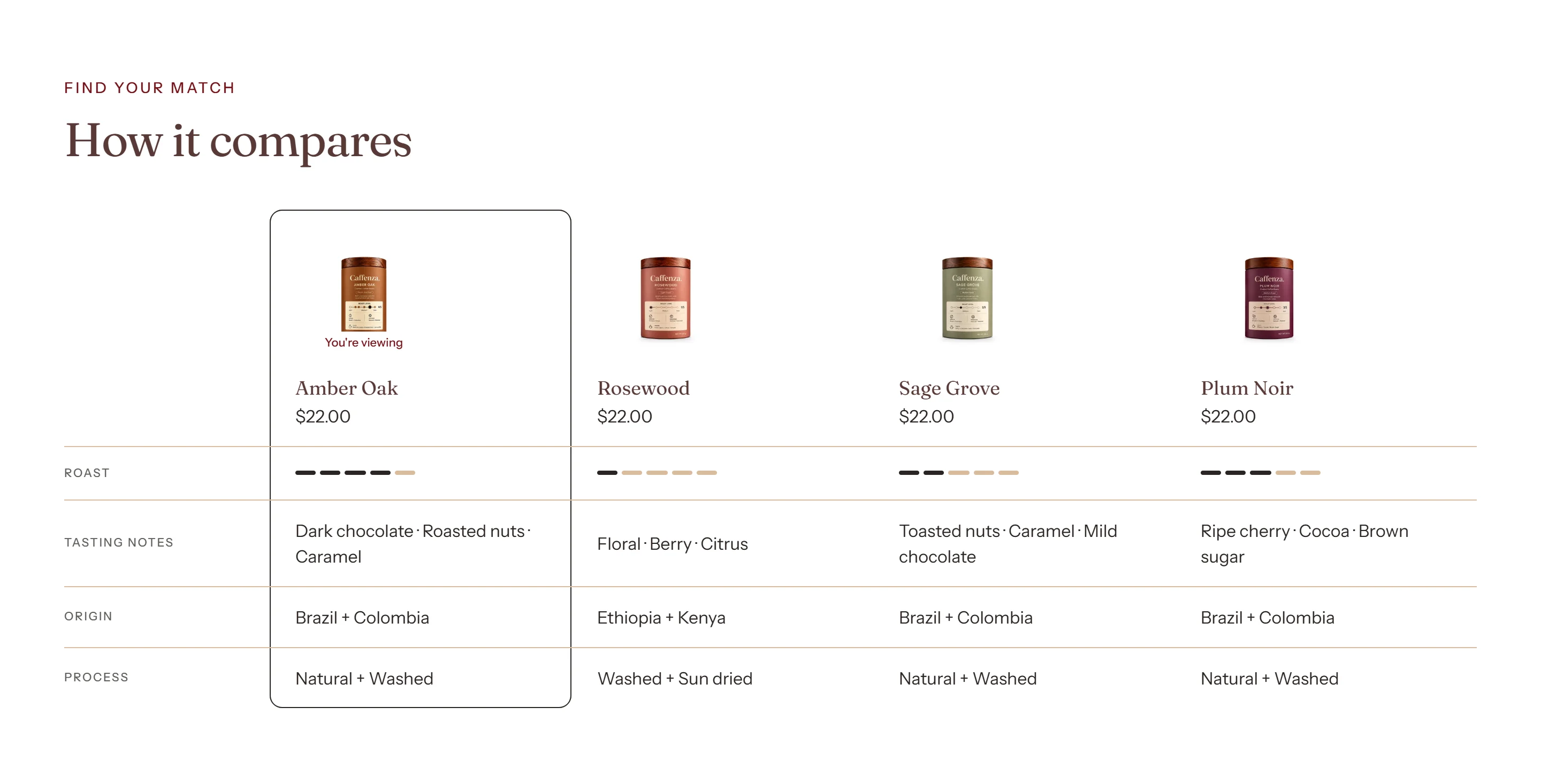
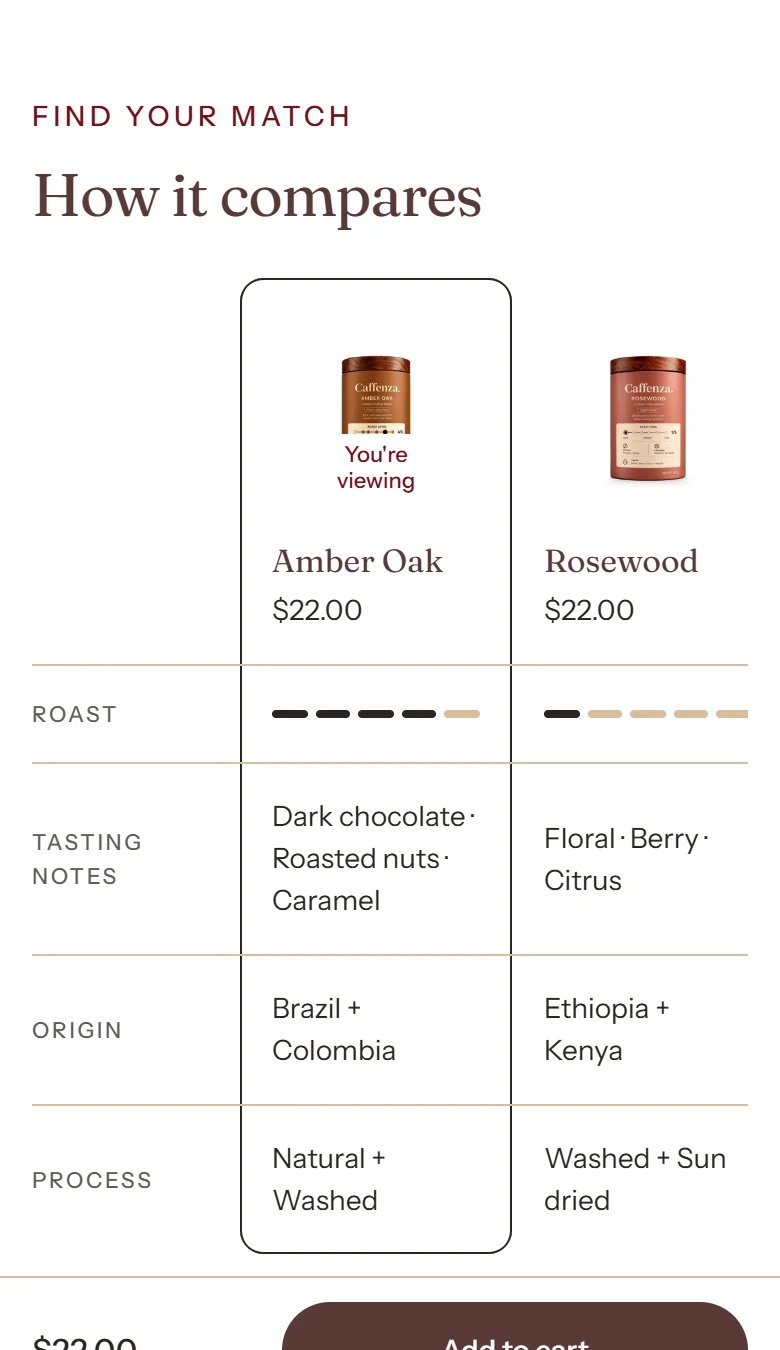
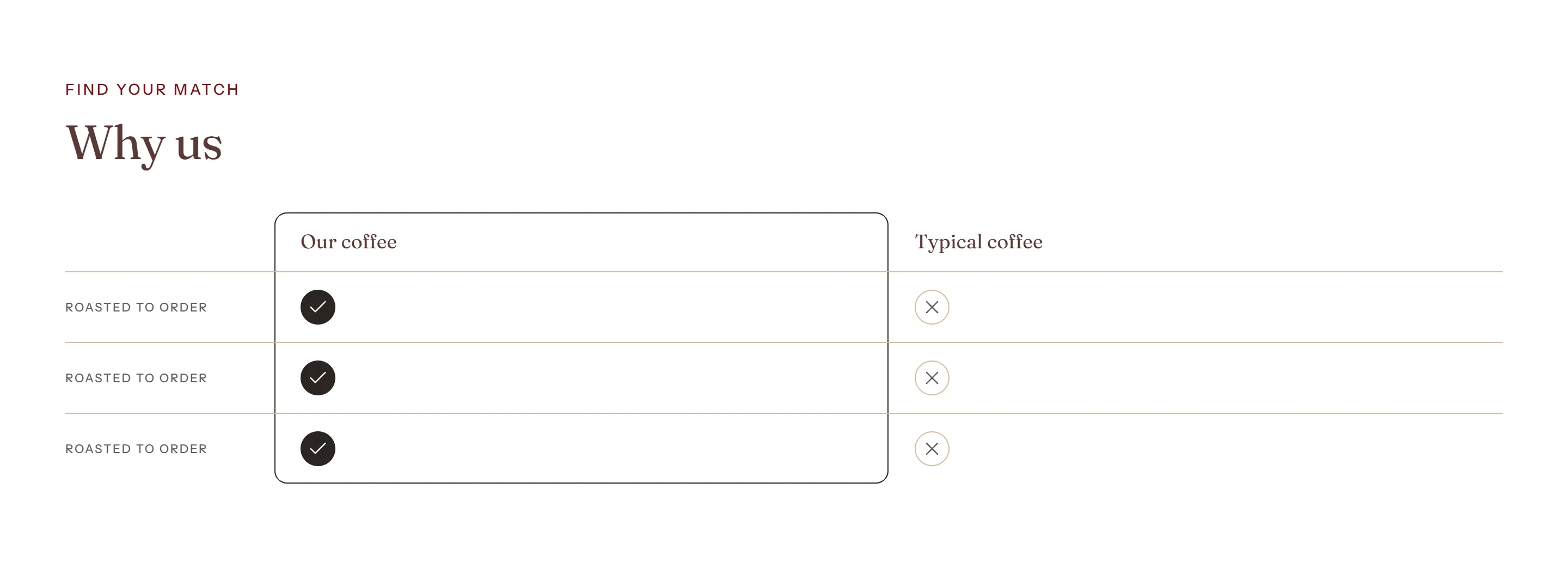
Compare up to four products (for example three espresso blends) or two custom columns (for example “Caffenza vs supermarket coffee”).
Two ways to compare
| Compare | How it works |
|---|---|
| Products | Pick products. Add Product attribute blocks for each row, for example Origin, Roast (as a level meter) or Vendor. |
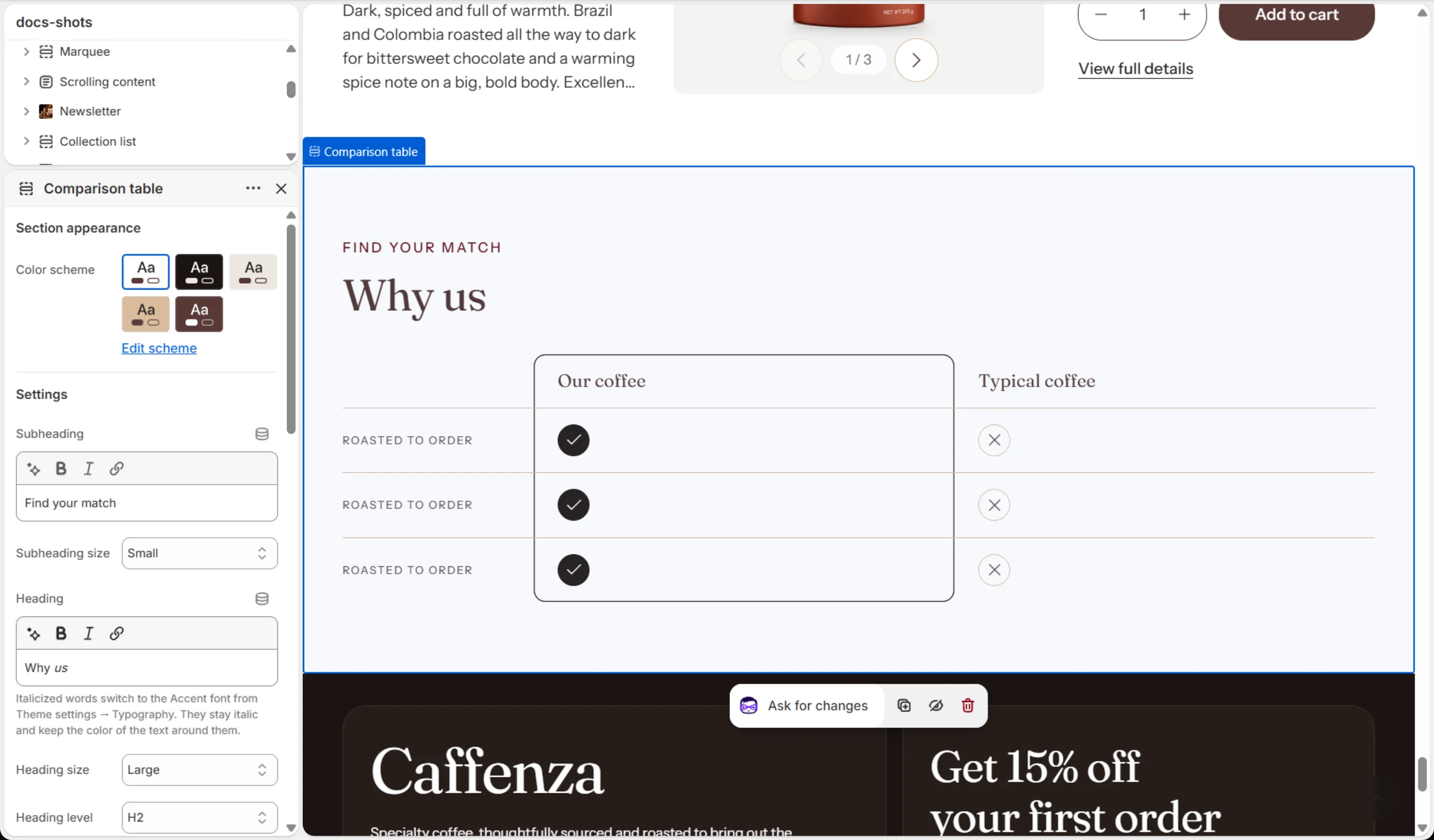
| Custom columns | Name two columns and add Custom row blocks with a tick, a cross or text in each. |
Screenshots
Settings
| Setting | Options | What it does |
|---|---|---|
| Section appearance | ||
| Color scheme | Color scheme | |
| Settings | ||
| Subheading | Text (bold, italic, links) | |
| Subheading size | Small · Medium · Large | |
| Heading | Text (bold, italic, links) | Italicized words switch to the Accent font from Theme settings → Typography. They stay italic and keep the color of the text around them. |
| Heading size | Small · Medium · Large · Extra large | |
| Heading level | H1 · H2 · H3 · H4 · H5 · H6 | Adjust for page structure — one H1 per page. Size is controlled separately. |
| Text | Rich text | |
| Text size | Small · Medium · Large | |
| Columns | ||
| Compare | Products · Custom columns | |
| Include the product on the page | On / Off | Shown first and highlighted. The section hides itself on products that have none of the rows' data. |
| Products | Products | Up to 4 columns in total. With "Include the product on the page" on, it takes the first column, so only the first 3 products picked here show. The product on the page is skipped if chosen here. |
| First column (highlighted) | Text | |
| Second column | Text | |
| Animations | ||
Blocks
Click Add block under the section in the sidebar. Drag blocks to change their order.
Product attribute
| Setting | Options | What it does |
|---|---|---|
| Label | Text | |
| Data | Metafield · Vendor · Product type | |
| Metafield | Text | Enter as namespace.key, for example custom.origin. List metafields are shown comma-separated. |
| Show as | Text · Level meter | |
| Meter maximum | 3–10 |
Custom row
| Setting | Options | What it does |
|---|---|---|
| Label | Text | |
| First column | Tick · Cross · Text | |
| First column text | Text | |
| Second column | Tick · Cross · Text | |
| Second column text | Text |
It also has the shared Animate on scroll and Section spacing settings.