Mixed media grid
A collage of images and videos of different sizes.
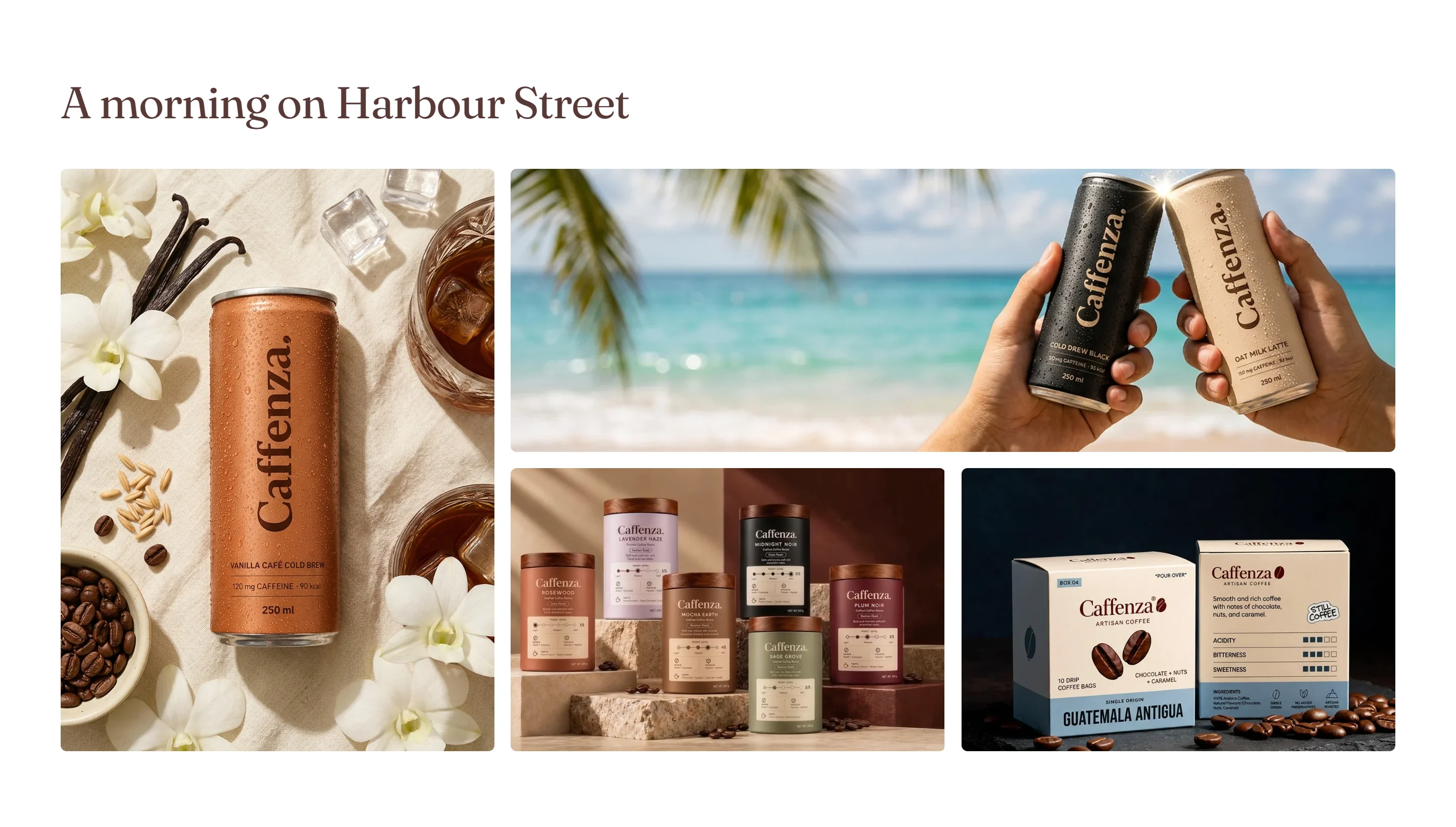
Show the atmosphere of your café, your Instagram feed or your farm partners.
How to add it
- In Shopify admin, go to Online Store → Themes and click Customize.
- Open the page from the page picker at the top of the editor.
- In the sidebar, click Add section and choose Mixed media grid.
- Fill in the content, then click Save.
Tips
- Mix square, landscape, portrait and large square tiles for an editorial look.
Screenshots
Settings
| Setting | Options | What it does |
|---|---|---|
| Section appearance | ||
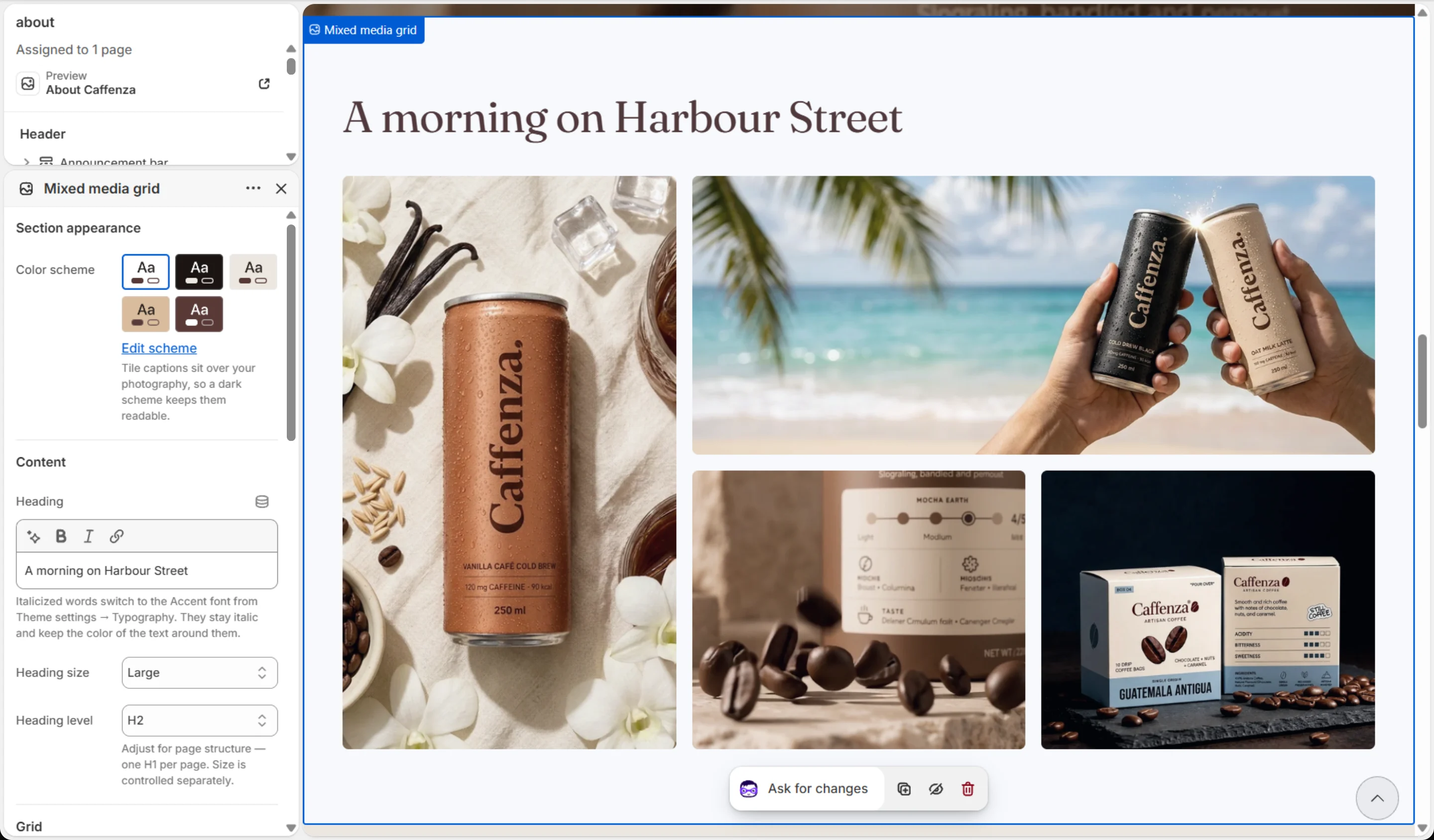
| Color scheme | Color scheme | Tile captions sit over your photography, so a dark scheme keeps them readable. |
| Content | ||
| Heading | Text (bold, italic, links) | Italicized words switch to the Accent font from Theme settings → Typography. They stay italic and keep the color of the text around them. |
| Heading size | Small · Medium · Large · Extra large | |
| Heading level | H1 · H2 · H3 · H4 · H5 · H6 | Adjust for page structure — one H1 per page. Size is controlled separately. |
| Grid | ||
| Columns on desktop | 2–6 | |
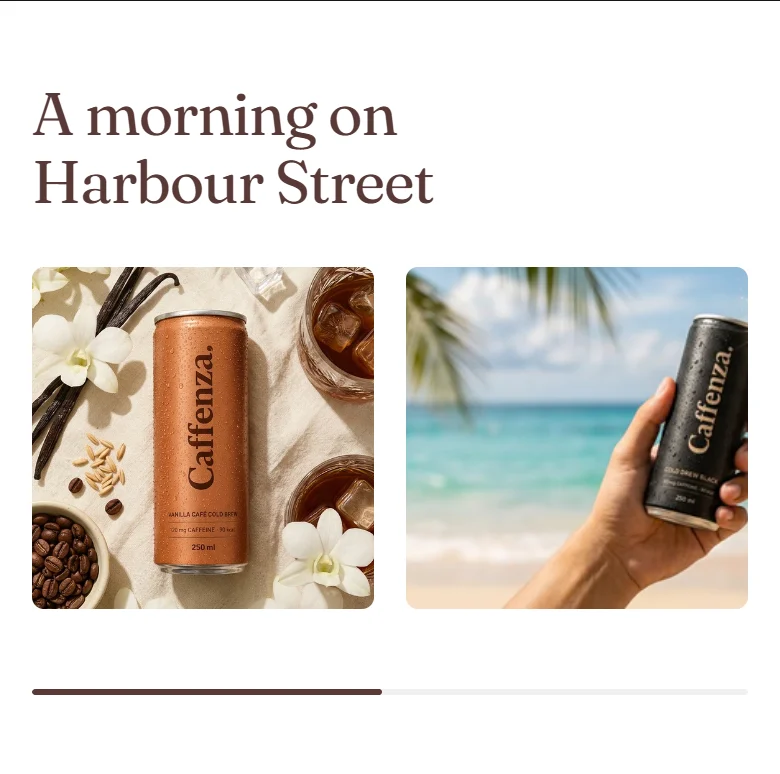
| Mobile layout | Carousel · Grid | A carousel keeps the tiles legible on phones. In carousel mode every tile is one slide wide, whatever its block size. |
| Columns on mobile | 1–3 | In carousel mode this is how many tiles are in view at once. |
| Carousel | ||
| Show previous/next arrows | On / Off | |
| Pagination style | Progress bar · Counter with line · Dots · Counter · None | |
| Control alignment | Left · Center · Right | Aligns the dots, counter or arrows under the slides. |
| Loop slides | On / Off | |
| Row height | 160–480 px | A minimum — a row grows when a long caption needs more height. |
| Grid gap | 8–40 px | |
| Animations | ||
Blocks
Click Add block under the section in the sidebar. Drag blocks to change their order.
Image
| Setting | Options | What it does |
|---|---|---|
| Image | Image | |
| Link | Link | |
| Caption | Text (bold, italic, links) | |
| Block size | Square · Landscape · Portrait · Large square | Desktop only. On phones every tile is a square. |
| Overlay color | Color | |
| Overlay opacity | 0–100 % | Tints the media with the overlay color so text stays readable. Lower it with care — check your text contrast. |
Video
| Setting | Options | What it does |
|---|---|---|
| Video | Shopify-hosted video | |
| Cover image | Image | Shown before the video plays. A Shopify-hosted video falls back to its own preview frame. Add one for YouTube/Vimeo links, which have no preview here. |
| Autoplay | On / Off | Plays the muted, looping Shopify-hosted video quietly while it is on screen, and pauses it off screen. A pause control is always shown. Visitors who prefer reduced motion, or use data saver, see the cover image instead. |
| Block size | Square · Landscape · Portrait · Large square | Desktop only. On phones every tile is a square. |
It also has the shared Animate on scroll and Section spacing settings.