Marquee
A scrolling line of text or logos.

Show press logos, certifications or short claims like “Fresh roasted every Monday”.
How to add it
- In Shopify admin, go to Online Store → Themes and click Customize.
- Open the page from the page picker at the top of the editor.
- In the sidebar, click Add section and choose Marquee.
- Fill in the content, then click Save.
Tips
- Choose the Logos style and turn on grayscale for a calm press bar.
Screenshots

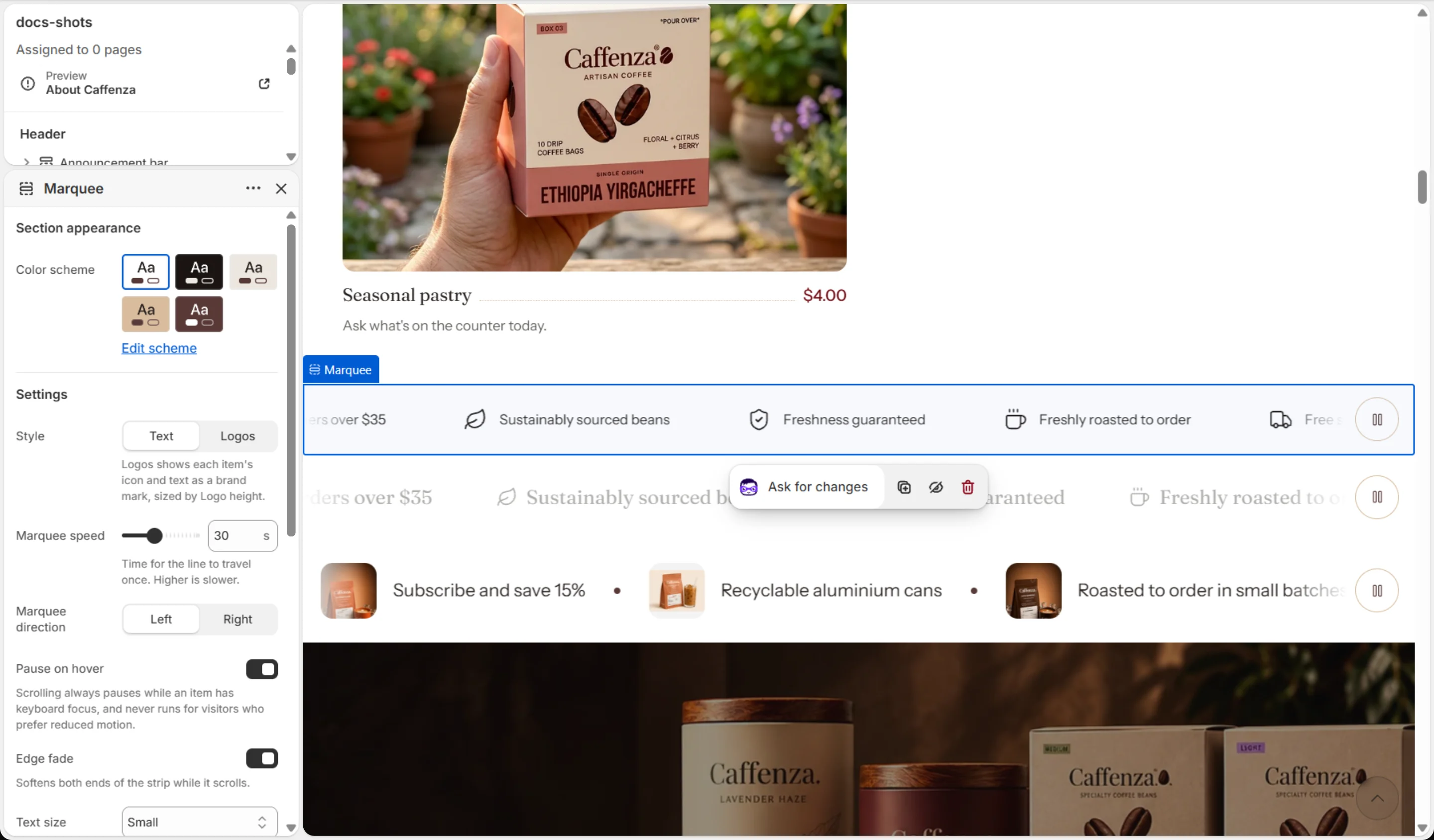

Settings
| Setting | Options | What it does |
|---|---|---|
| Section appearance | ||
| Color scheme | Color scheme | |
| Settings | ||
| Style | Text · Logos | Logos shows each item's icon and text as a brand mark, sized by Logo height. |
| Marquee speed | 10–60 s | Time for the line to travel once. Higher is slower. |
| Marquee direction | Left · Right | |
| Pause on hover | On / Off | Scrolling always pauses while an item has keyboard focus, and never runs for visitors who prefer reduced motion. |
| Edge fade | On / Off | Softens both ends of the strip while it scrolls. |
| Grayscale at rest | On / Off | Logos use the color scheme's Muted color. The logo under the pointer returns to full color. |
| Grayscale opacity | 20–100 % | How visible logos are at rest. Lower is lighter. Full opacity returns on hover and keyboard focus. |
| Logo height | 24–64 px | Sets the icon and the name together. Scales down on small screens. |
| Text size | Small · Medium · Large | |
| Case | None · Uppercase | |
| Letter spacing | Normal · Wide · Wider | |
| Item spacing | 24–96 px | |
| Separator | None · Dot · Icon | |
| Separator icon | Truck · Star · Shield check · Leaf · Coffee cup · Award | |
Blocks
Click Add block under the section in the sidebar. Drag blocks to change their order.
Item
| Setting | Options | What it does |
|---|---|---|
| Icon | None · Award · Bag · Coffee bean · Book · Building · Coffee cup · Envelope · Globe · Headset · Leaf · Lock · Refresh · Shield check · Star · Truck | |
| Custom image | Image | Replaces the icon. Shown at the icon width. |
| Icon width | 16–64 px | |
| Text | Text (bold, italic, links) | |
| Link | Link |
It also has the shared Animate on scroll and Section spacing settings.