Shopify rules and limits
Platform rules that apply to every Shopify theme, including Caffenza.
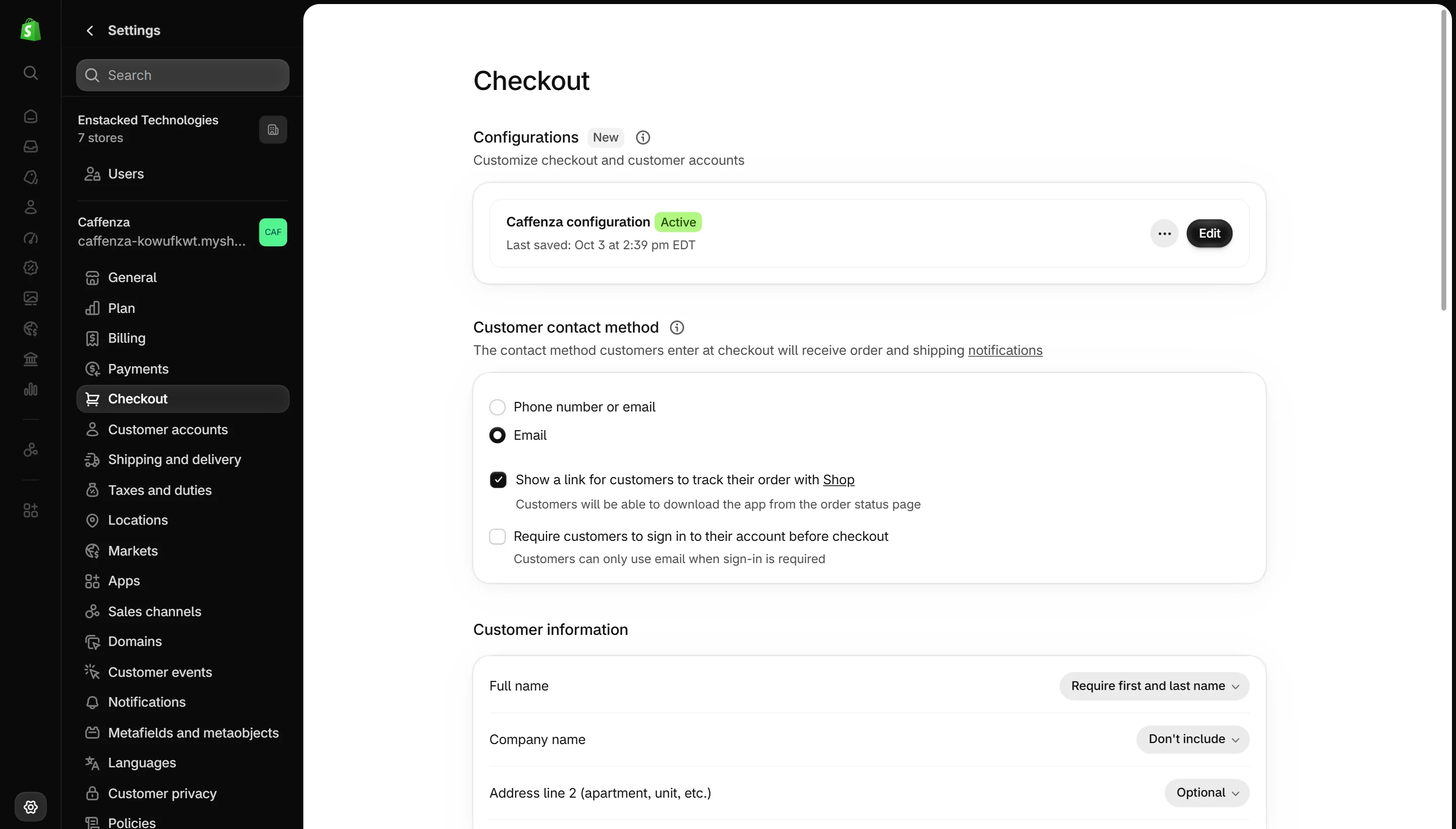
These are Shopify platform rules. They are not Caffenza settings, but they explain why some things work the way they do.
| Rule | What it means for you |
|---|---|
| Up to 25 sections per template | A single page template can hold up to 25 sections. Create another template if you need more. |
| Up to 50 blocks per section | Some sections set a lower limit, shown as “up to” in these docs. |
| Checkout is controlled by Shopify | The theme styles your store up to the cart. Checkout branding is set in Settings → Checkout. |
| Filters need Search & Discovery | Collection and search filters come from the free Shopify Search & Discovery app. |
| Complementary products need Search & Discovery | Set complementary products per product in the app. Related products are automatic. |
| Subscriptions need an app | Shopify sells subscriptions through apps like Shopify Subscriptions. |
| Reviews need an app | Star ratings come from a reviews app. Themes may not show fake ratings. |
| Code edits are not kept on update | Theme editor changes carry over when you update. Code edits do not. |
| Images are optimized by Shopify | Upload large, sharp images. Shopify serves the right size and format to each device. |
Theme Store requirements Caffenza follows
- Works without code: every text and image can be changed in the editor.
- Accessible: keyboard navigation, visible focus, alt text support and good color contrast.
- Fast: images load lazily, scripts load only where needed, no required external scripts.
- Apps plug in cleanly through app blocks and app embeds, and leave no code behind when removed.