Logos and favicon
Upload your logo, the inverse logo for dark areas, and the browser tab icon.
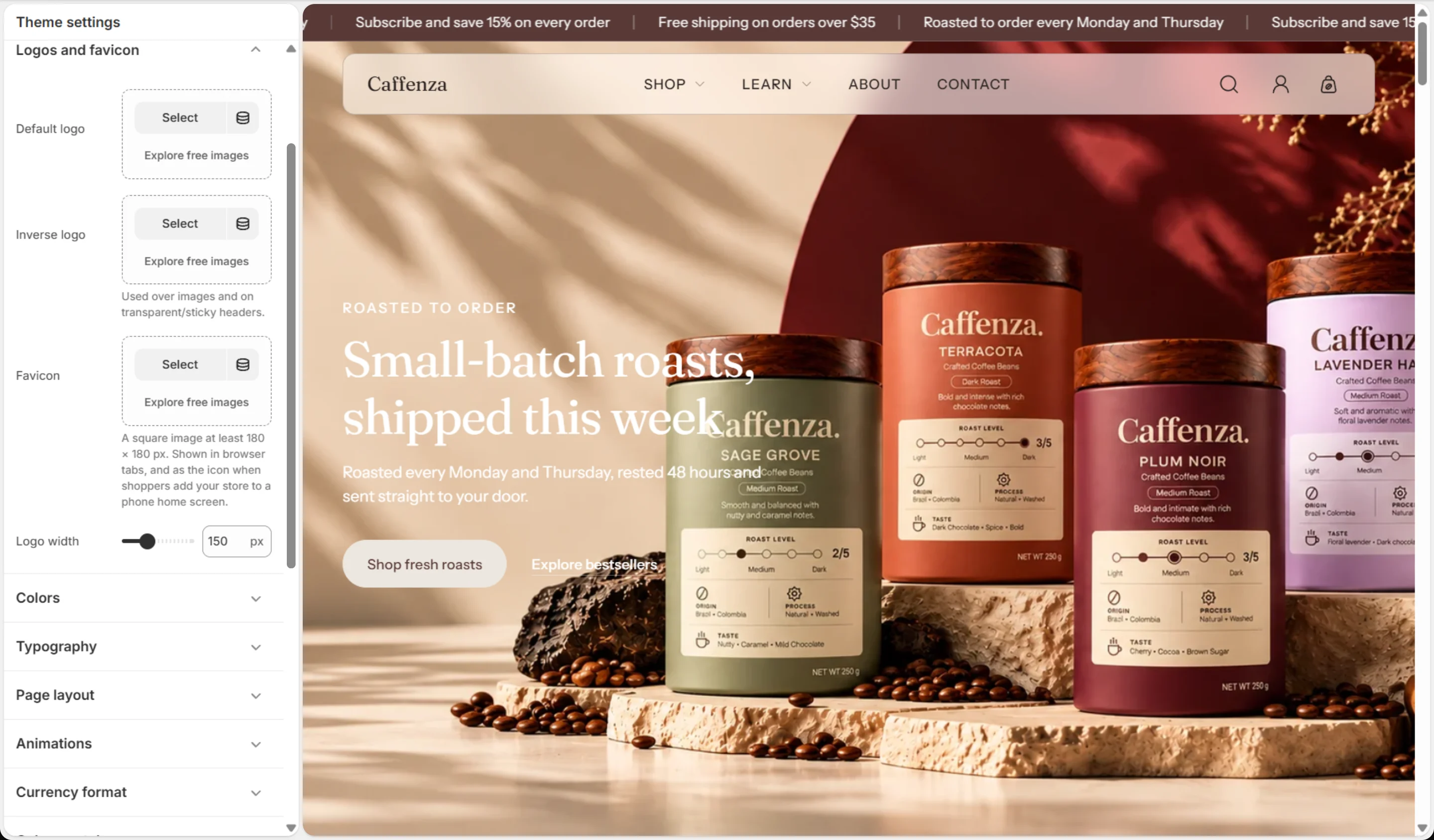
Open Theme settings → Logos and favicon.
Recommended sizes
| Image | Recommended | Tip |
|---|---|---|
| Default logo | PNG or SVG, at least 600 px wide, transparent background | Used on light backgrounds. |
| Inverse logo | Same size as the default logo, in white or cream | Used over hero images and on the floating header, and in the footer. |
| Favicon | Square, at least 180 × 180 px | Shown in browser tabs and when shoppers add your store to a phone home screen. |
Tip
If you use the floating header over a dark hero image, always upload an inverse logo so the logo stays readable.
Screenshots

Logos and favicon
| Setting | Options | What it does |
|---|---|---|
| Default logo | Image | |
| Inverse logo | Image | Used over images and on transparent/sticky headers. |
| Favicon | Image | A square image at least 180 × 180 px. Shown in browser tabs, and as the icon when shoppers add your store to a phone home screen. |
| Logo width | 80–300 px |