Custom Liquid
Paste app code, embeds or your own Liquid.
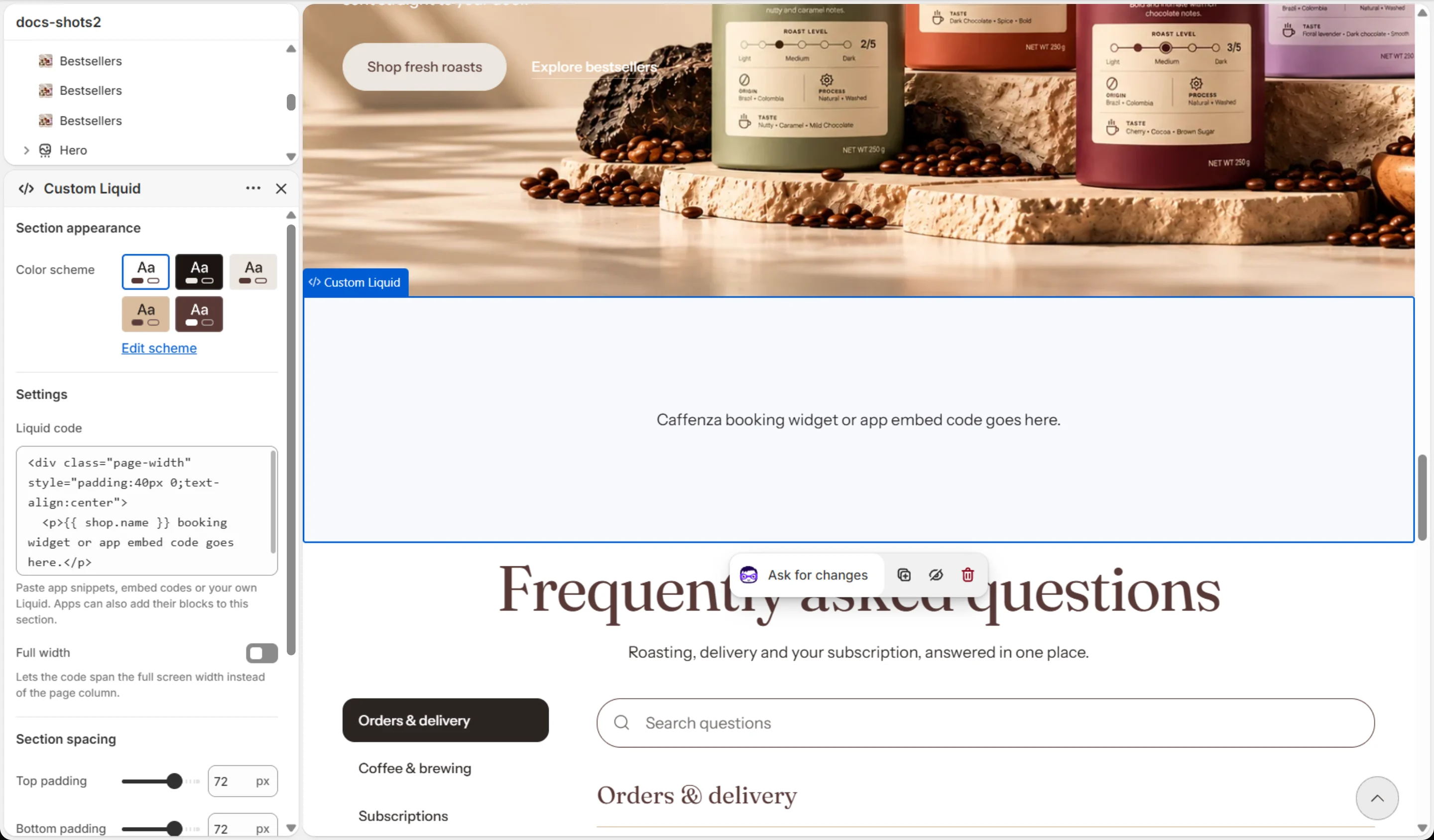
Embed a form, a booking widget or code from an app that does not offer an app block.
How to add it
- In Shopify admin, go to Online Store → Themes and click Customize.
- Open the page from the page picker at the top of the editor.
- In the sidebar, click Add section and choose Custom Liquid.
- Fill in the content, then click Save.
Tips
- Only paste code from sources you trust. Broken code can break the page.
Settings
| Setting | Options | What it does |
|---|---|---|
| Section appearance | ||
| Color scheme | Color scheme | |
| Settings | ||
| Liquid code | Liquid code | Paste app snippets, embed codes or your own Liquid. Apps can also add their blocks to this section. |
| Full width | On / Off | Lets the code span the full screen width instead of the page column. |
This section also accepts app blocks. It also has the shared Animate on scroll and Section spacing settings.