Cart settings
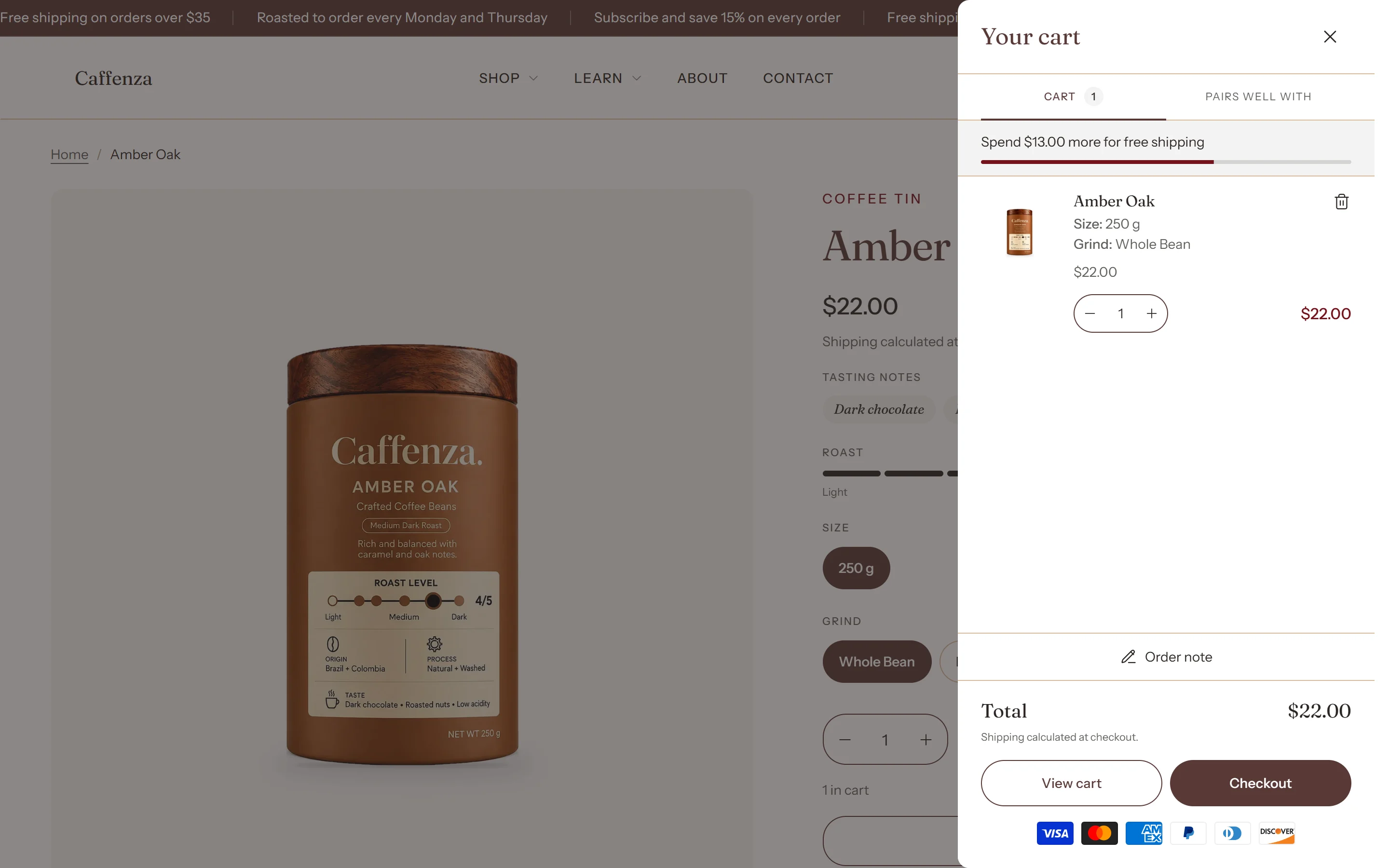
Cart drawer, notification or page, free shipping goal and checkout buttons.
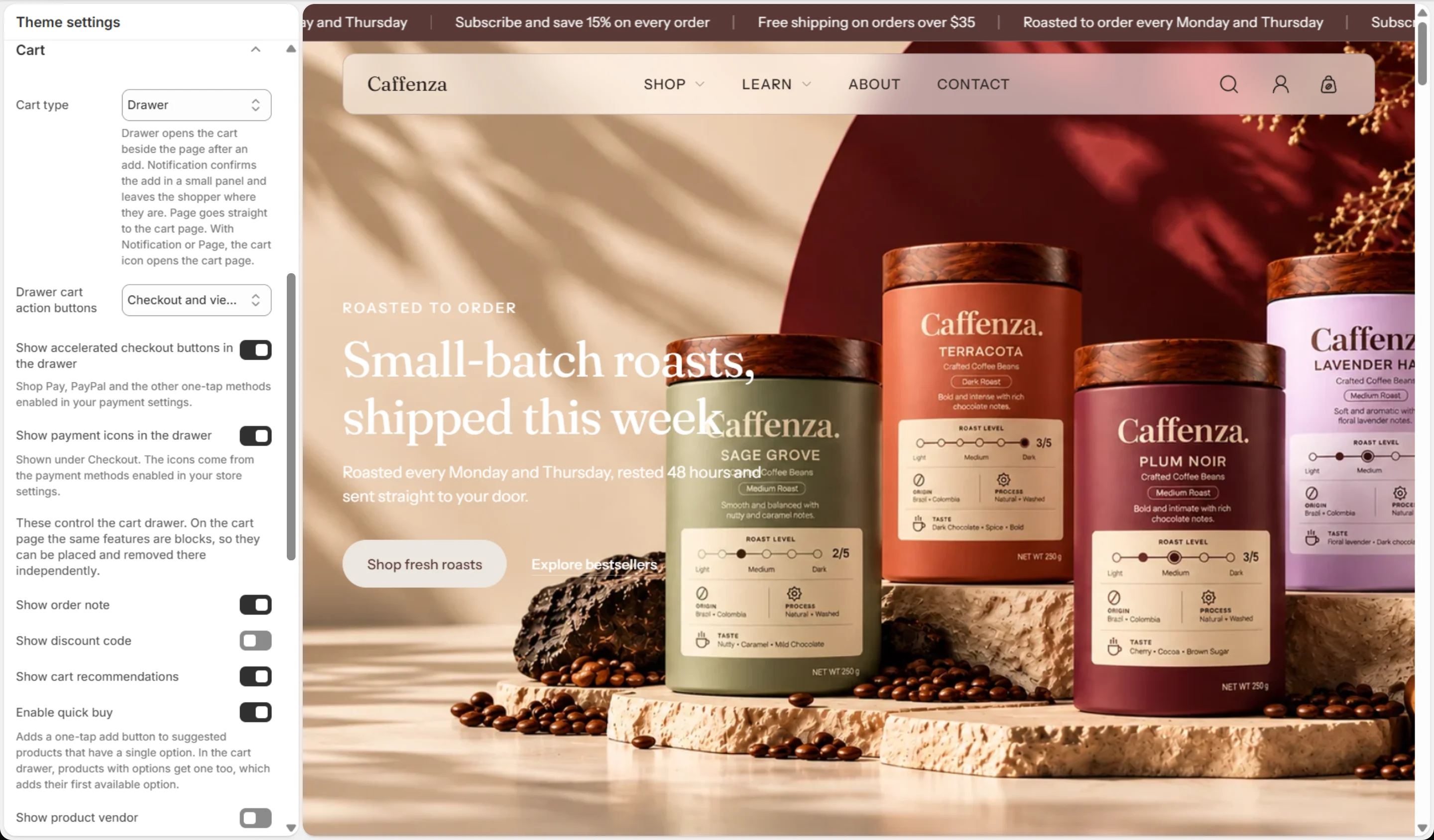
Open Theme settings → Cart.
Choose a cart type
| Cart type | What happens after “Add to cart” | Best for |
|---|---|---|
| Drawer | The cart slides in from the side. | Most stores. Shoppers see the cart and keep browsing. |
| Notification | A small panel confirms the add. | Stores where shoppers add many items. |
| Page | Shoppers go straight to the cart page. | Simple stores with one product per order. |
Free shipping goal
Enter your free shipping minimum and the cart shows a progress bar: “You are $8 away from free shipping”.
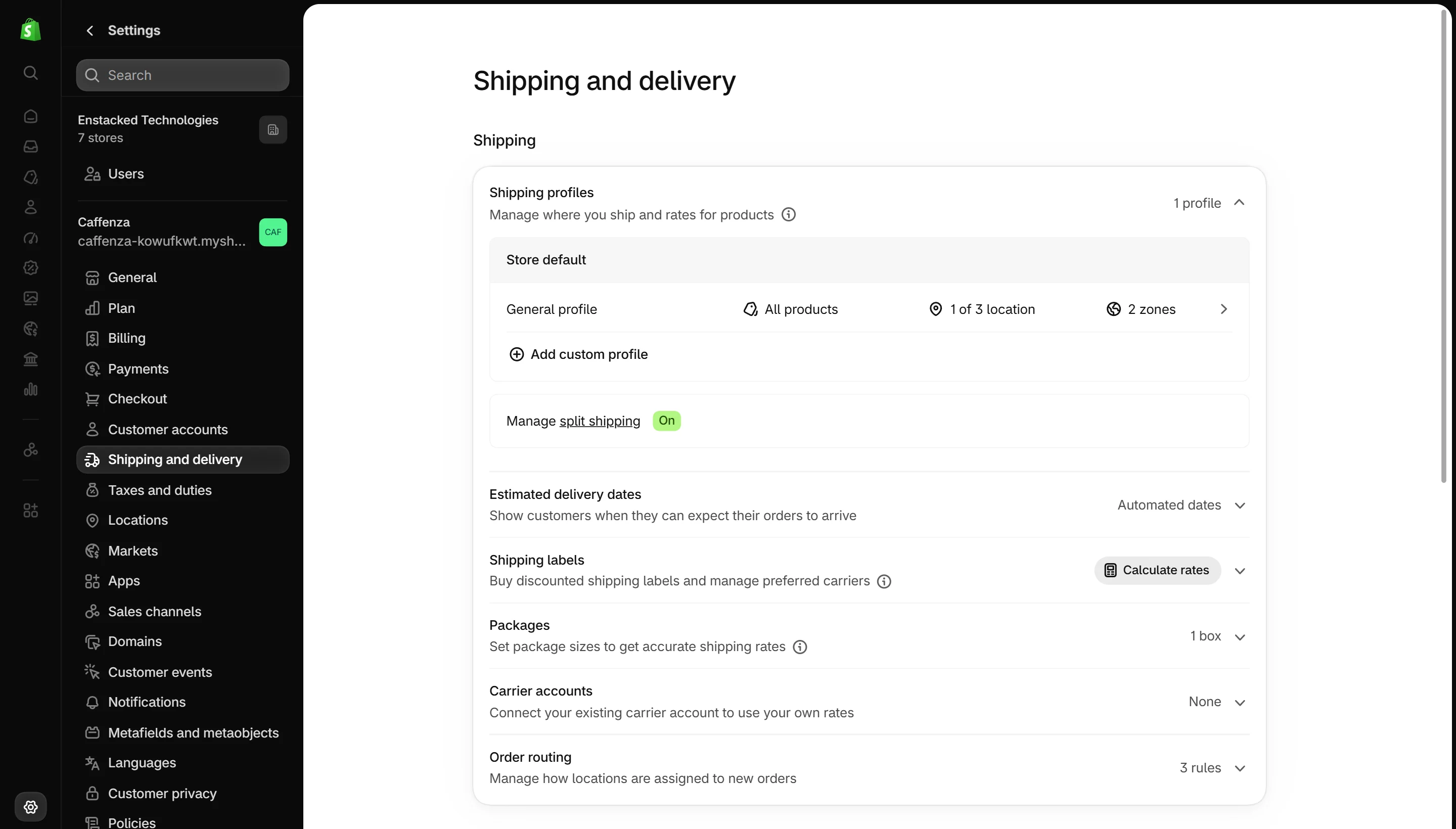
- Set the free shipping rate in Settings → Shipping and delivery first.
- Enter the same amount in Free shipping minimum amount.
- If you sell in other currencies, add one line per currency, for example
EUR: 45.
Important
The goal is only a message. The real free shipping rate comes from your shipping settings, so keep the two amounts the same.
Screenshots

Cart
| Setting | Options | What it does |
|---|---|---|
| Cart type | Drawer · Notification · Page | Drawer opens the cart beside the page after an add. Notification confirms the add in a small panel and leaves the shopper where they are. Page goes straight to the cart page. With Notification or Page, the cart icon opens the cart page. |
| Drawer cart action buttons | Checkout only · Checkout and view cart · Checkout and continue shopping | |
| Show accelerated checkout buttons in the drawer | On / Off | Shop Pay, PayPal and the other one-tap methods enabled in your payment settings. |
| Show payment icons in the drawer | On / Off | Shown under Checkout. The icons come from the payment methods enabled in your store settings. |
| Show order note | On / Off | |
| Show discount code | On / Off | |
| Show cart recommendations | On / Off | |
| Enable quick buy | On / Off | Adds a one-tap add button to suggested products that have a single option. In the cart drawer, products with options get one too, which adds their first available option. |
| Show product vendor | On / Off | |
| Free shipping goal | ||
| Free shipping minimum amount | Number | In your store's currency. |
| Amounts in other currencies | Text, one item per line | For stores selling in more than one currency. Add one line per currency with its code and the amount your free shipping rate uses in it, for example EUR: 45. Write amounts as plain numbers, like 45 or 45.50. Amounts aren't converted for you, so a currency with no line here shows no goal. |