Featured blog
Latest posts in an editorial, grid or carousel layout.
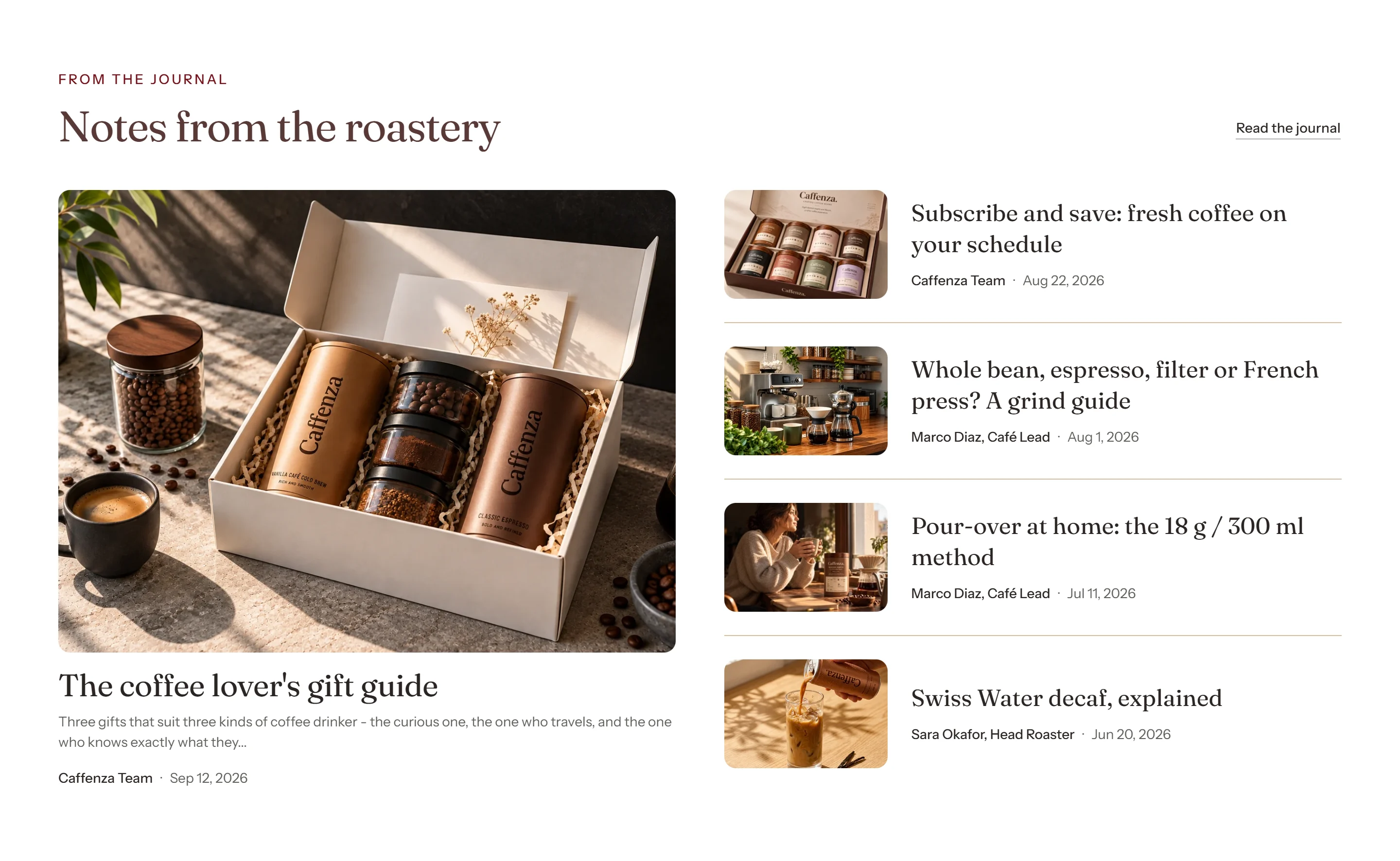
Show brew guides, recipes and origin stories on the home page.
How to add it
- In Shopify admin, go to Online Store → Themes and click Customize.
- Open the page from the page picker at the top of the editor.
- In the sidebar, click Add section and choose Featured blog.
- Fill in the content, then click Save.
Tips
- Use “Only show posts tagged” to show, for example, only posts tagged
Brew guides. - Pin a post to always show it first.
Screenshots
Settings
| Setting | Options | What it does |
|---|---|---|
| Section appearance | ||
| Color scheme | Color scheme | |
| Content | ||
| Subheading | Text (bold, italic, links) | |
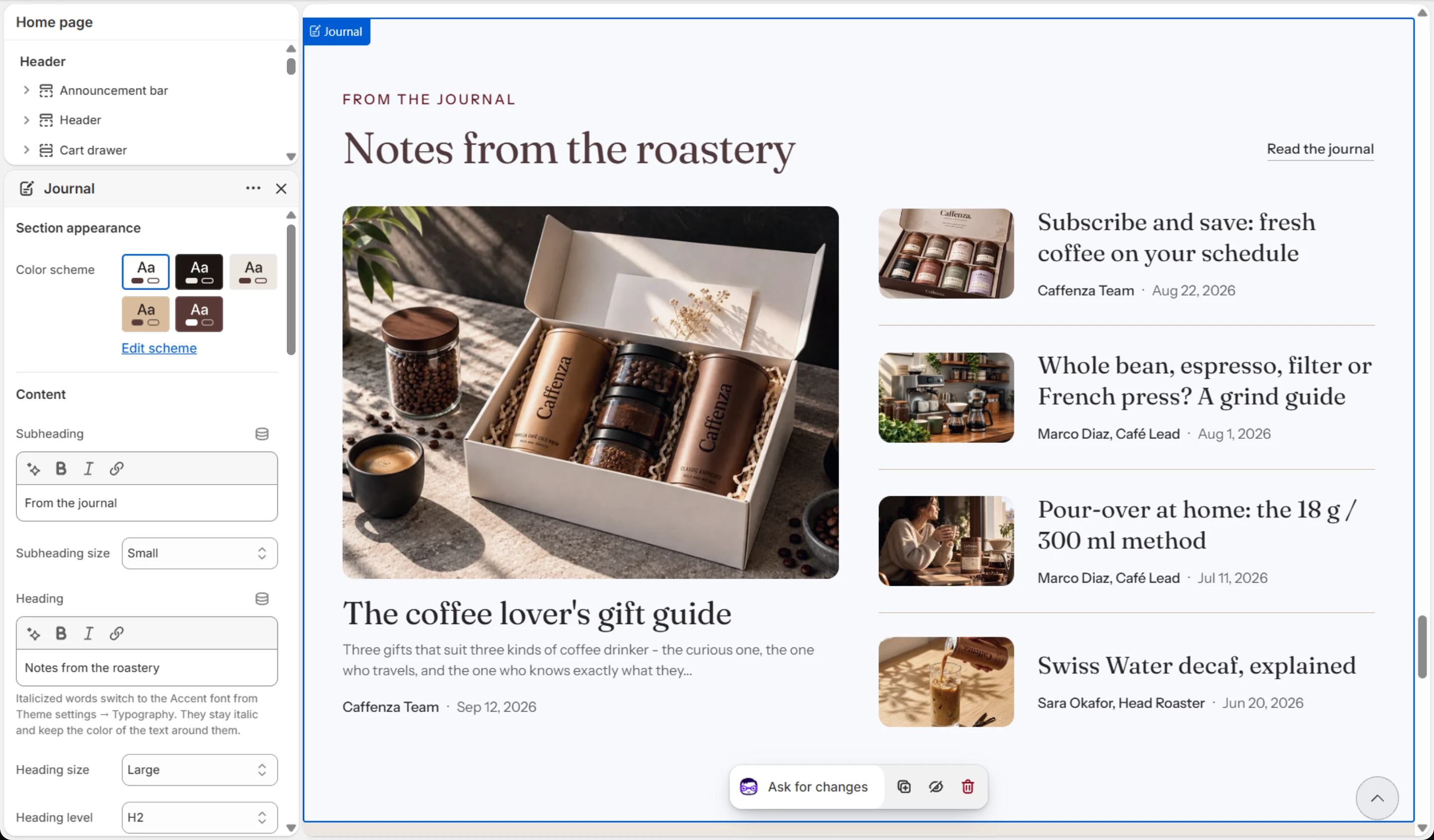
| Subheading size | Small · Medium · Large | |
| Heading | Text (bold, italic, links) | Italicized words switch to the Accent font from Theme settings → Typography. They stay italic and keep the color of the text around them. |
| Heading size | Small · Medium · Large · Extra large | |
| Heading level | H1 · H2 · H3 · H4 · H5 · H6 | Adjust for page structure — one H1 per page. Size is controlled separately. |
| Content alignment | Left · Center | |
| Show link to all posts | On / Off | Links to the blog you chose below, so the two can never point at different places. With a tag set, it opens that blog's posts with the tag. |
| Button label | Text | |
| Button style | Primary · Secondary · Ghost · Link | |
| Button size | Small · Medium · Large | |
| Blog | ||
| Blog | Blog | |
| Only show posts tagged | Text | Enter one tag, for example Brew guides, to show only posts with it. Looks through the blog's 50 newest posts. Leave blank to show the newest posts. |
| Pinned post | Blog post | Always shown first, and as the lead post in the editorial layout. It can come from any blog, and shows whether or not it has the tag above. |
| Posts to show | 2–12 | In the editorial layout the newest post becomes the lead card and the rest fill the list beside it. |
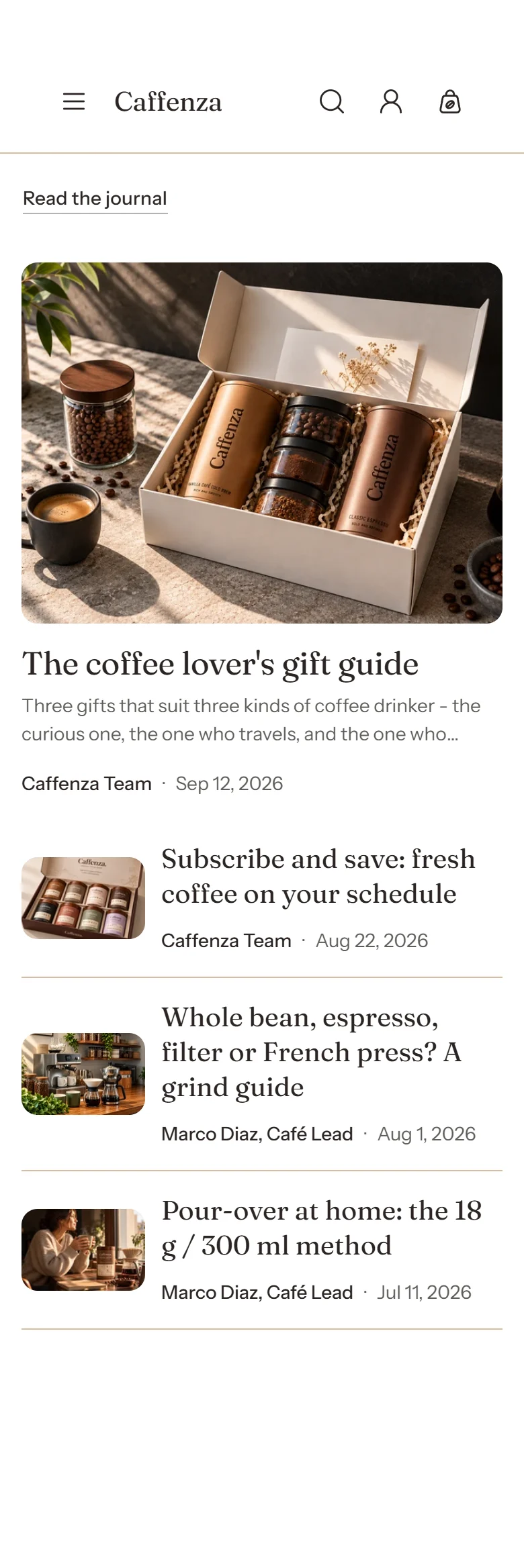
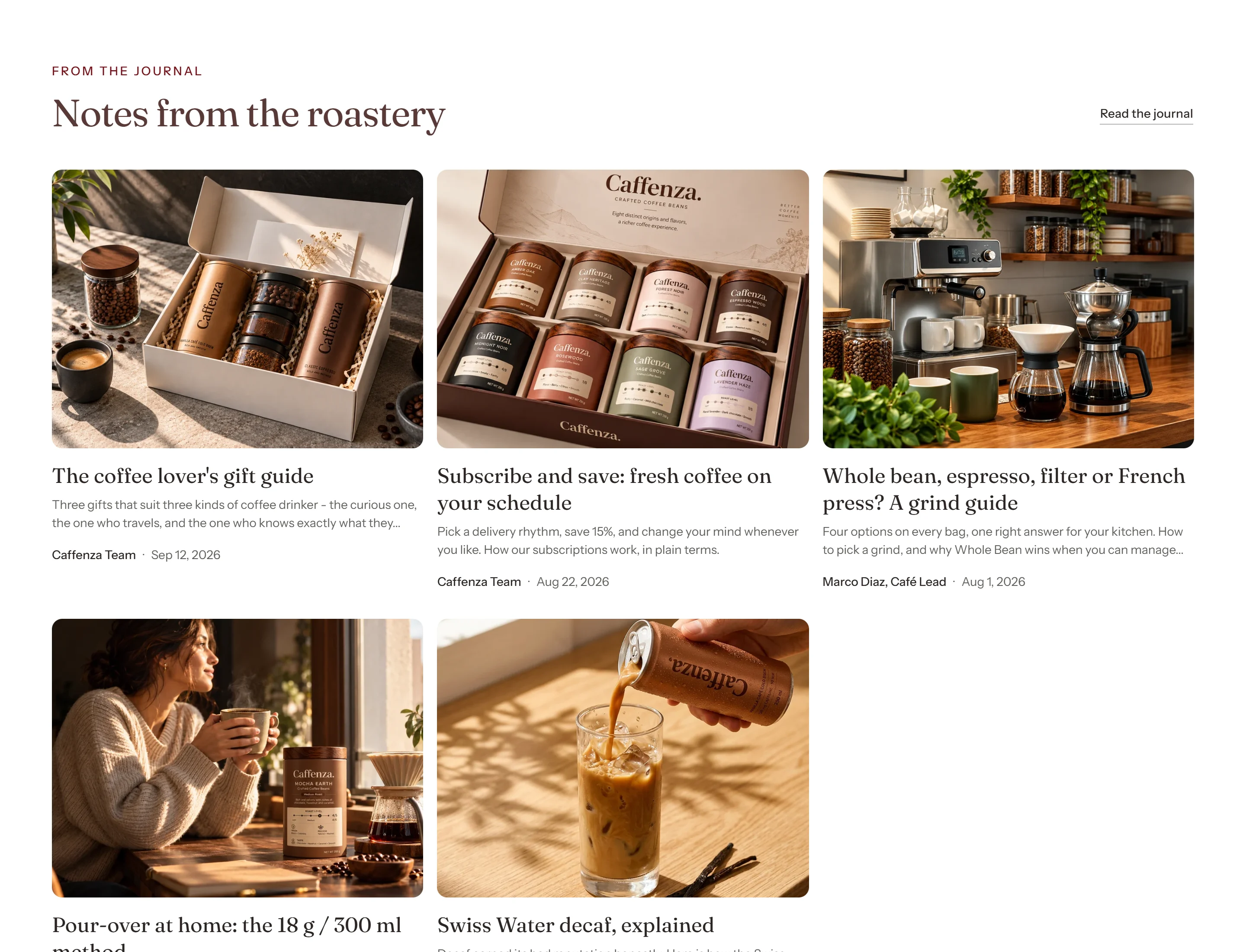
| Layout | Editorial · Grid · Carousel | Editorial gives the newest post a large lead card beside a list of the rest, as on the home page. Grid and carousel show every post at the same size. |
| Columns on desktop | 2–4 | Narrower screens step this down automatically: at most 2 below 1024 px, and 1 on mobile unless you choose 2. |
| Columns on mobile | 1 · 2 | |
| Carousel | ||
| Show previous/next arrows | On / Off | |
| Pagination style | Progress bar · Counter with line · Dots · Counter · None | |
| Control alignment | Left · Center · Right | Aligns the dots, counter or arrows under the slides. |
| Loop slides | On / Off | |
| Blog card | ||
| Show image | On / Off | |
| Media aspect ratio | Adapt to image · Square · Portrait · Landscape | Applies to the lead card and to grid and carousel cards. The editorial list rows always use a fixed thumbnail. |
| Show date | On / Off | |
| Show author | On / Off | |
| Show excerpt | On / Off | Shown on the lead card and on grid and carousel cards. The editorial list rows show the title and byline only. Posts with no excerpt use their opening lines. |
| Excerpt length | 1–6 | |
| Show read time | On / Off | Estimated from the length of each post at 200 words a minute. |
| Read more style | Link · Button · None | |
| Animations | ||
| Prioritize image loading | On / Off | Turn on only when this section is above the fold (visible without scrolling). Loads the first post's image immediately instead of when it scrolls into view. |
It also has the shared Animate on scroll and Section spacing settings.