




Summarize this blog post with:
TL;DR
This guide compares the top social media scheduling tools of 2026 — including Planable, SchedPilot, Sprout Social, SocialPilot, Buffer, and Hootsuite – highlighting their features, pricing, pros, and ideal use cases to help you choose the best solution for boosting productivity, engagement, and social media growth.
Introduction
Social media scheduling tools are essential for businesses, marketers, and agencies looking to maintain a consistent online presence without the hassle of daily manual posting.
In 2026, social media scheduling tools will be widely used, with statistics showing a significant portion of marketers and businesses utilizing them for content planning and distribution. These tools enable efficient management of social media presence, especially with the increasing demands of social commerce and the need to adapt to evolving algorithms.
According to a Sprinklr report, 81% of marketers intend to evaluate their social suite in 2026, indicating a proactive approach to staying ahead of industry changes.
In 2026, AI is playing a transformative role in digital marketing, driving a new wave of digital transformation across how businesses manage their social media presence. From AI-generated content to intelligent scheduling and performance analytics, modern social media tools are evolving rapidly to meet the demands of speed, personalization, and efficiency.
This blog explores the top-rated and most widely used social media scheduling tools of 2026, helping you select the one that best supports your marketing goals.
What is a Social Media Scheduling Tool?
A social media scheduling tool allows you to pre-plan, create, and publish content across multiple social media platforms in advance.
Why Use Social Media Scheduling Tools?
- Maintain consistency across platforms
- Save time by planning posts in bulk
- Improve team collaboration
- Gain insights from analytics dashboards
Top 6 Social Media Scheduling Tools for 2026
| Tool Name | Key Features | Pricing Plan |
|---|---|---|
| Planable | Approval workflows, dedicated workspaces, media library | Free trial for the first 50 posts + paid plan starting from $33/mo/workspace |
| SchedPilot | Smart AI scheduling, team collaboration, and analytics | 7-day free trial + paid plan starting from $5/mo |
| Sprout Social | Smart Inbox, AI tools, and detailed reporting | 30-day free trial + paid plan starting from $199/mo |
| SocialPilot | Bulk scheduler, white-label reports, and AI assistant | 14-day free trial + paid plan starting from ₹1700/mo |
| Buffer | Easy-to-use dashboard, free plan available | 14-day free trial + free forever plan for 3 channels + paid plan from $5/mo |
| Hootsuite | Multi-platform publishing and campaign planning tools | 30-day free trial + paid plan starting from ₹1,915/mo |
Detailed Overview: Top 6 Social Media Scheduling Tools
1. Planable: Best Social Media Management Tool for Agencies and Collaborative Teams
Planable is a social media management tool built specifically for agencies and marketing teams that need structured content workflows, real-time collaboration, and client approval processes without the chaos of back-and-forth emails or disconnected tools.

Features:
- Multi-channel publishing across Facebook, Instagram, LinkedIn, Twitter/X, TikTok, YouTube, Pinterest, Google Business Profile, and Threads
- Visual content calendar with four views: feed, grid, calendar, and list
- Custom approval workflows that adapt as per the workspace and client relationship
- Real-time collaboration with comments, annotations directly on visuals, and text suggestions
- Dedicated workspaces per client or brand, with roles and permissions for clean team separation
- AI Assistant for content generation, rewriting, and tone-matching
- Unified Social Inbox for managing incoming comments and direct messages across Facebook, Instagram, LinkedIn, and TikTok with AI-powered reply suggestions
- Cross-channel analytics dashboard with shareable client reports
- Media library for organizing and reusing brand assets
Pros:
- Approval workflows adapt to every client, from zero friction to rigorous multi-level sign-off
- Clients can review and approve posts via a simple link, no login required
- Real-time collaboration keeps feedback loops tight and revision rounds short
- Clean, dedicated workspaces make managing multiple brands or clients organized and scalable
- Cross-channel analytics and shareable reports reduce reporting overhead for agencies
- AI Assistant speeds up content drafting and helps teams match brand tone across platforms
Cons:
- Not built for enterprise organizations — Planable is designed for agencies and marketing teams rather than large-scale enterprise operations
- Not built for solo creators or freelancers — individual users working alone may not get full value from its workflow features
Pricing: View Planable Pricing Plans
| Plan | Best For | Monthly Price | Key Features |
|---|---|---|---|
| Basic | Freelancers and small teams managing a few clients | $33/workspace/month, billed yearly with 2 months free | 60 posts/workspace/month, unlimited users, 4 social pages/workspace, 2 types of approval, Feed & Calendar views, 3 campaigns/workspace. Add-ons: Analytics $12/mo, Social Inbox $7.5/mo |
| Pro | Growing agencies and mid-sized marketing teams | $49/workspace/month, billed yearly with 2 months free | 150 posts/workspace/month, unlimited users, 10 social pages/workspace, 3 types of approval, Feed/Calendar/Grid views, 10 campaigns/workspace. Add-ons: Analytics $12/mo, Social Inbox $7.5/mo |
| Enterprise | Large organizations with complex approval workflows | Custom pricing | Unlimited posts, multi-level approvals, all views, unlimited campaigns, SSO integration, dedicated account manager, pay by bank/wire transfer |
” What I like best about Planable is how clearly I can see everything I’ve planned. The layout makes it easy to understand my content at a glance, which really helps me stay organized and calm. I also really appreciate how simple it is to make changes without any stress. Another big advantage is how far ahead I can plan and just as easily go back and review or adjust things.
2. SchedPilot: The Best Social Media Scheduling Tool for Everyone
SchedPilot is a fast-growing social media scheduling tool that blends smart automation with AI-powered content recommendations. Built for creators, small businesses, and marketing teams, it offers a seamless way to plan, schedule, and publish posts across platforms like LinkedIn, Instagram, TikTok, Gmail, YouTube, Threads, Bluesky, and X.
With its modern interface and affordable plans, SchedPilot helps you create once and post everywhere without the stress or steep costs.

Features:
- Post Scheduling: Plan and schedule posts across multiple social media platforms with ease.
- Post Editor with Media Support: Create rich posts using images, text, and carousels for higher engagement.
- AI-Powered Content Creation: Generate posts, hooks, and comments using GPT-4-based AI to save time and boost creativity.
- AI Suggestions & Automation: Get smart recommendations for post timing, captions, and ideas to improve reach.
- Engagement Tools: Reply to comments and posts directly from the dashboard to keep your community active.
- Cross-Browser Extensions: Use SchedPilot on the go with dedicated Chrome and Firefox extensions.
- In-Depth Account Analytics: Monitor performance, track growth, and optimize strategies with platform analytics.
- 5100 GPT-4 Credits: Access powerful AI generation capabilities with a generous credit bundle included.
- Professional Support: Enjoy priority assistance with PRO-level support from the SchedPilot team.
Pros:
- AI-Powered Content Creation: Generate post ideas, correct grammar, create carousels, and finish posts faster.
- Multi-Platform Support: Supports TikTok scheduler, YouTube Shorts scheduler, X scheduler, LinkedIn post scheduler, and Pinterest scheduler.
- Chrome Extension: Quickly comment and engage on social platforms using AI-powered suggestions.
- Follower Growth Tools: Helps increase followers by automating posting, headline generation, and engagement.
- LinkedIn Optimization: Connect LinkedIn for seamless posting, generate LinkedIn text posts and headlines, get best-time-to-post suggestions, and preview drafts directly from the dashboard.
- Profile Growth Features: Designed to grow impressions and followers with post templates and automation.
- ChatGPT-4 Integration: Leverages GPT-4 for content ideation and creation.
- User-Friendly Dashboard: Plan, draft, and schedule posts with ease.
- Automation: Automates routine tasks like scheduling, content suggestions, and engagement prompts.
Cons:
- Newly established in the market
- Doesn’t support AI video generation yet
- The trial period is only 7 days
- SchedPilot is heavily optimized for LinkedIn; other platforms may not have the same level of feature depth
Pricing: View SchedPilot Pricing Plans — Monthly and yearly plans available, with yearly plans offering up to 20% savings.
| Plan | Best For | Monthly Price | Key Features |
|---|---|---|---|
| Silver | Solo creators & beginners | $5/month | Post scheduling, connect 2 accounts, post editor with images, post with carousels, account analytics, AI post suggestions |
| Gold | Growing teams & active users | $13/month | Everything in Silver + connect 5 accounts, AI-generated posts, AI hooks, AI comments, Chrome & Firefox Extension, reply to posts/comments, 300 GPT-4 credits |
| Platinum | Power users & marketers who need more | $21/month | Everything in Gold + connect 10 accounts, PRO support from the team, 5100 GPT-4 credits |
SchedPilot has been a game-changer social media scheduling tool for my content planning. I’ve used SchedPilot with both LinkedIn and Twitter to schedule posts seamlessly. It works flawlessly and saves me a lot of time, making social media management stress-free.
3. Sprout Social: Good Social Media Management Tool for Enterprises & Professionals
Sprout Social is an all-in-one social media management platform designed for deeper engagement, smarter publishing, and powerful analytics. Ideal for brands and agencies, it helps teams streamline collaboration, manage conversations, and make data-driven decisions across social channels, backed by enterprise-grade features and AI-driven insights.
Features:
- Centralized content hub for managing digital assets
- Monitor campaign effectiveness with trackable URLs
- Enable direct product sales via social platforms
- Plan and automate social media posts in advance
- Strategically organize campaigns using a visual planner
- Keep a clear overview with a streamlined posting calendar
- Engage and respond to your audience efficiently
- Get deep insights with comprehensive performance analytics
- Suggestions for the best times to post for maximum reach
- Use a bio link tool to funnel users to key conversion actions
Pros:
- Easy to use
- Attentive customer support
- Advanced reporting capabilities
- Easily manage comments and DMs
- Advanced team collaboration capabilities
Cons:
- No free plan
- You can only add 1 social account for each brand
- Limited integrations compared to competitors like Hootsuite
Pricing: View Sprout Social Pricing Plans — Sprout Social offers a 30-day free trial.
| Plan | Best For | Monthly Price | Key Features |
|---|---|---|---|
| Standard | Small teams managing a few social profiles | $199/seat/month | Manage 5 social profiles, keyword & location monitoring, unlimited AI alt text, review management, group/profile/post level reporting |
| Professional | Mid-size teams with high engagement and content volume | $299/seat/month | Everything in Standard + unlimited social profiles, message tagging, competitor & tag insights, optimal send times, AI Assist for post enhancement |
| Advanced | Cross-functional teams with complex workflows | $399/seat/month | Everything in Professional + AI-powered reply enhancement, sentiment analysis, Sprout API & helpdesk integrations, productivity & care reports, message spike alerts |
| Enterprise | Large organizations with scaled social operations | Custom pricing | Everything in Advanced + tailored onboarding, custom plan setup, SSO setup assistance, priority customer support |
Sprout Social makes handling and managing our business social media pages easy. From scheduling posts and ads to engaging in meaningful conversations, the software has pushed our business presence to the next level.
4. SocialPilot: Best Choice of Social Media Management Tools for Marketing Agencies and Brands
SocialPilot is a powerful social media marketing tool built for teams, agencies, and growing businesses. It offers robust scheduling, collaboration, analytics, bulk posting, and white-label reporting features, making it a go-to solution for managing high volumes of content across multiple accounts with ease and efficiency.

Features:
- Seamless platform integrations for streamlined workflows
- Schedule multiple posts at once with bulk scheduling
- In-depth analytics with advanced reporting tools
- Use browser add-ons to plan and manage posts on the go
- Smart AI assistant to help generate engaging content
- Collaborate efficiently with robust team management tools
- Manage multiple clients with dedicated access controls
- Ensure brand consistency with client content approval flows
- Visual social media calendar for easy content planning
- Organized content library to store and reuse top-performing posts
Pros:
- Intuitive and beginner-friendly user interface
- Built-in tools for seamless team collaboration
- White-label customization for brand consistency
- Platform-specific post optimization made simple
- Unified inbox to manage all social conversations in one place
- Compatible with major social media platforms
- Ideal solution for handling multiple social media profiles efficiently
Cons:
- Doesn’t offer a free-tier option
- Restricts to only one social account per brand
- Fewer third-party integrations compared to platforms like Hootsuite
Pricing: View SocialPilot Pricing Plans — Monthly and yearly plans available, with yearly plans offering up to 15% savings.
| Plan | Best For | Monthly Price | Key Features |
|---|---|---|---|
| Standard | Small to mid-sized businesses | ₹1700/month, or ₹2000 billed monthly | 10 social media accounts, 1 user, 1000 AI credits, bulk scheduling, content library, social media inbox, analytics |
| Enterprise | Large organizations | Custom pricing | 30 social media accounts, 3 users, 5000 AI credits, client approval, white-label reports, advanced analytics, content library. Add-on: extra account/user at ₹200/month |
| Platinum | Power users & marketers who need more | ₹5100/month | Unlimited social media accounts, unlimited users, unlimited AI credits, dedicated account manager, API access, SSO support, migration & onboarding |
SocialPilot simplifies the management of multiple social accounts, especially with its intuitive drag-and-drop calendar and bulk scheduling. The detailed analytics and reporting tools also make it easy for teams to track performance and fine-tune content strategies.
While the tool performs well overall, Charles notes that the user interface feels a bit outdated and that Instagram’s direct publishing, particularly for Reels and Stories, could be improved to match the functionality of platforms like Buffer or Later.
5. Buffer: Simplified Social Media Management Tool for Teams & Creators
Buffer is a user-friendly social media management tool designed to help individuals, brands, and teams plan, publish, and analyze content across multiple platforms. With powerful scheduling features, analytics, and a customizable landing page builder, Buffer simplifies social media growth for businesses of all sizes.
Features:
- In-depth performance analytics to track content success
- Easy post publishing and scheduling across platforms
- Supports 30+ third-party integrations for enhanced functionality
- Available on both iOS and Android for on-the-go management
- Centralized engagement tools to manage all conversations
- Customizable landing page builder to drive traffic and conversions
Pros:
- Smooth team collaboration features
- Detailed analytics with custom dashboards
- Supports Mastodon and Bluesky platforms
- Built-in link shortener for better tracking
- Landing page tools to boost social conversions
Cons:
- Lacks tools to discover trending or top-performing industry content
- Costs can add up quickly, as pricing is based on each connected social platform
Pricing: View Buffer Pricing Plans — Monthly and yearly plans available.
| Plan | Best For | Monthly Price | Key Features |
|---|---|---|---|
| Free | Beginners or individuals | Free forever | Connect up to 3 social channels, 10 scheduled posts/channel, 100 content ideas, 1 user account, AI Assistant, basic analytics, customer support |
| Essentials | Solo marketers & creators | $5/month, or $60/year | Unlimited scheduled posts/channel, unlimited content ideas, 1 user account, AI Assistant, advanced analytics, engagement inbox, hashtag manager, first comment scheduling, premium support |
| Team | Growing teams & agencies | $10/month, or $120/year | Everything in Essentials + unlimited user accounts, access levels, content approval workflows, world-class customer support |
Buffer makes scheduling content incredibly easy and efficient. It’s my go-to app for managing posts, and honestly, I haven’t run into any issues with it.
6. Hootsuite: Best Social Media Marketing and Management Tool
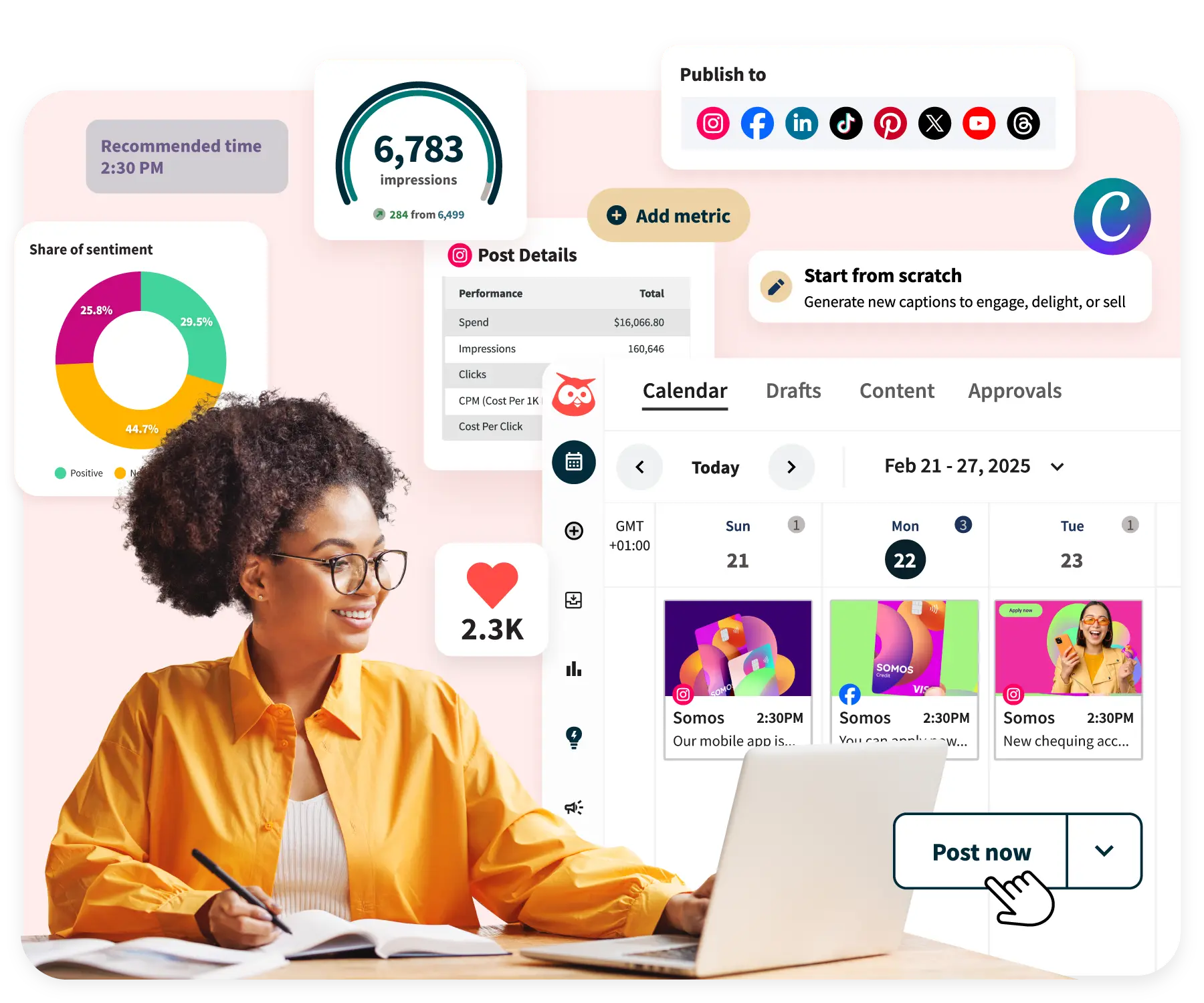
Hootsuite is a legacy tool that is still widely used in larger teams and corporations. It is a social media management tool that brings scheduling, content creation, analytics, and social listening to one place.
Features:
- Monitor brand mentions and conversations with social listening
- Boost interactions using advanced engagement tools
- Generate content effortlessly with AI-powered writing support
- Manage messages and comments through a unified inbox and messaging system
- Empower your team to share content using employee advocacy tools
- Seamlessly publish and schedule posts across multiple platforms
- Run and track campaigns with social advertising tools
- Measure success with detailed analytics and performance reports
Pros:
- Offers a wide range of third-party integrations
- Enables effective management of paid advertising campaigns
- Delivers robust analytics and detailed performance reports
- Excellent for social listening to monitor and improve brand reputation
- Includes direct message and comment handling tools for responsive customer support
Cons:
- The free plan is limited to just 30 days
- Pricing is higher when compared to alternatives like Post Planner
- Includes a stock photo library, but lacks content curation options from diverse online sources
Pricing: View Hootsuite Pricing Plans — Monthly and yearly plans available, with yearly plans offering up to 38% savings.
| Plan | Best For | Monthly Price | Key Features |
|---|---|---|---|
| Standard | Small businesses & marketers | ₹2,600/month per user | Up to 5 social accounts, unlimited post scheduling, AI captions/hashtags/idea generator, Canva templates & content library, unified inbox, DM automation, past 7-day brand/competitor monitoring, sentiment analysis, benchmark against 5 competitors |
| Advanced | Growing teams & agencies | ₹10,500/month per user | Everything in Standard + unlimited social accounts, customizable analytics templates, team approval workflows, bulk schedule up to 350 posts, auto-tag messages, inbox analytics, search past 30 days, benchmark against 20 competitors, custom user access permissions |
| Enterprise | Large-scale enterprises | Custom pricing | Everything in Advanced + unlimited users, SSO, Salesforce & Proofpoint integration, employee advocacy with Amplify, AI chatbot support, review management, social selling tools, Talkwalker-powered insights |
Hootsuite has streamlined our content planning and campaign execution. As a Digital Marketing Manager, I’ve used it to showcase brand value effectively across social media. The Amplify feature especially helped our sales team drive more traffic and leads. The platform is intuitive and backed by strong account management support.
Priyanka noted that the reporting feature lacks in-depth drill-down capabilities, and there are limitations when posting to Instagram, such as no video thumbnails for LinkedIn and a 10-image limit on carousels.
Conclusion
In today’s fast-moving digital world, social media scheduling tools are a must. Whether you’re a solo creator or part of a large team, the right tool can save time, boost consistency, and improve visibility. From SchedPilot’s smart AI features to Hootsuite’s enterprise solutions, there’s something for everyone.
Looking for more than just tools? Enstacked Technologies offers expert digital marketing services — from strategy and content planning to automation and analytics — to help you get the most out of every platform and grow your brand.
Frequently Asked Questions (FAQs)
What are the top social media scheduling tools for team collaboration?
Sprout Social and SocialPilot are ideal for large teams. SchedPilot is emerging as a promising tool for growing teams and agencies.
What are the best tools for managing social media campaigns?
Hootsuite and Sprout Social offer advanced tools for campaign planning and analytics. Buffer and SocialPilot are great for leaner setups.

- Recover Lost Sales
- Boost Conversions
- Reduce Abandonment
- Faster Store
📘 FREE REPORT
The Shopify Revenue Leaks Report
Discover the hidden mistakes silently costing Shopify stores thousands every month—and learn exactly how to fix them.
Instant access • No spam • Unsubscribe anytime.