


Best Shop Layout Design for WooCommerce: Proven Layouts + Top Themes
 Yash Barot
Summarize this blog post with:
Overview
Your WooCommerce store has about three seconds to make an impression. In those three seconds, a visitor decides whether your store looks credible, easy to navigate, and worth their time. If the layout is cluttered, slow, or confusing, they leave. They don’t come back. And they buy from someone else.
But most store owners spend weeks focusing on product selection, pricing, and marketing, and then install a random theme, copy the demo, and call it done. The layout, the single thing customers experience first, becomes an afterthought.
That’s a costly mistake. The best shop layout design for WooCommerce isn’t just about looking polished. It directly determines how fast people find products, whether they trust your brand, and whether they convert. Layout is a strategy, and it deserves to be treated like one.
This guide covers everything you need to make that decision with confidence: layout types, what separates great WooCommerce shop page templates from forgettable ones, honest template picks, and the design mistakes quietly costing you sales.
Why Your WooCommerce Shop Layout Design Actually Matters?
WooCommerce powers 39% of all eCommerce stores globally; that’s a massive playing field. Which also means the bar for standing out is higher than it’s ever been.
Layout shapes everything a visitor experiences from the moment they land on your store. It controls where their eyes go, how fast they find what they need, and how much friction they hit before checkout. A well-structured layout reduces cognitive load. A poor one creates it, and confused visitors don’t buy; they bounce.

The warning signs of a broken layout:
- No visual hierarchy, everything competes for attention equally
- Filters are buried or missing entirely on mobile
- Product cards without clear pricing or add-to-cart visibility
- Page load times above 2.5 seconds, a 1-second delay alone can drop conversions by 7%
- Layouts that work on desktop but fall apart on phone screens
The hard truth? Many agencies deliver “beautiful” stores that check none of these boxes. Beautiful is not a business outcome. Performance is. So, opt for a layout that is functional first, polished always.
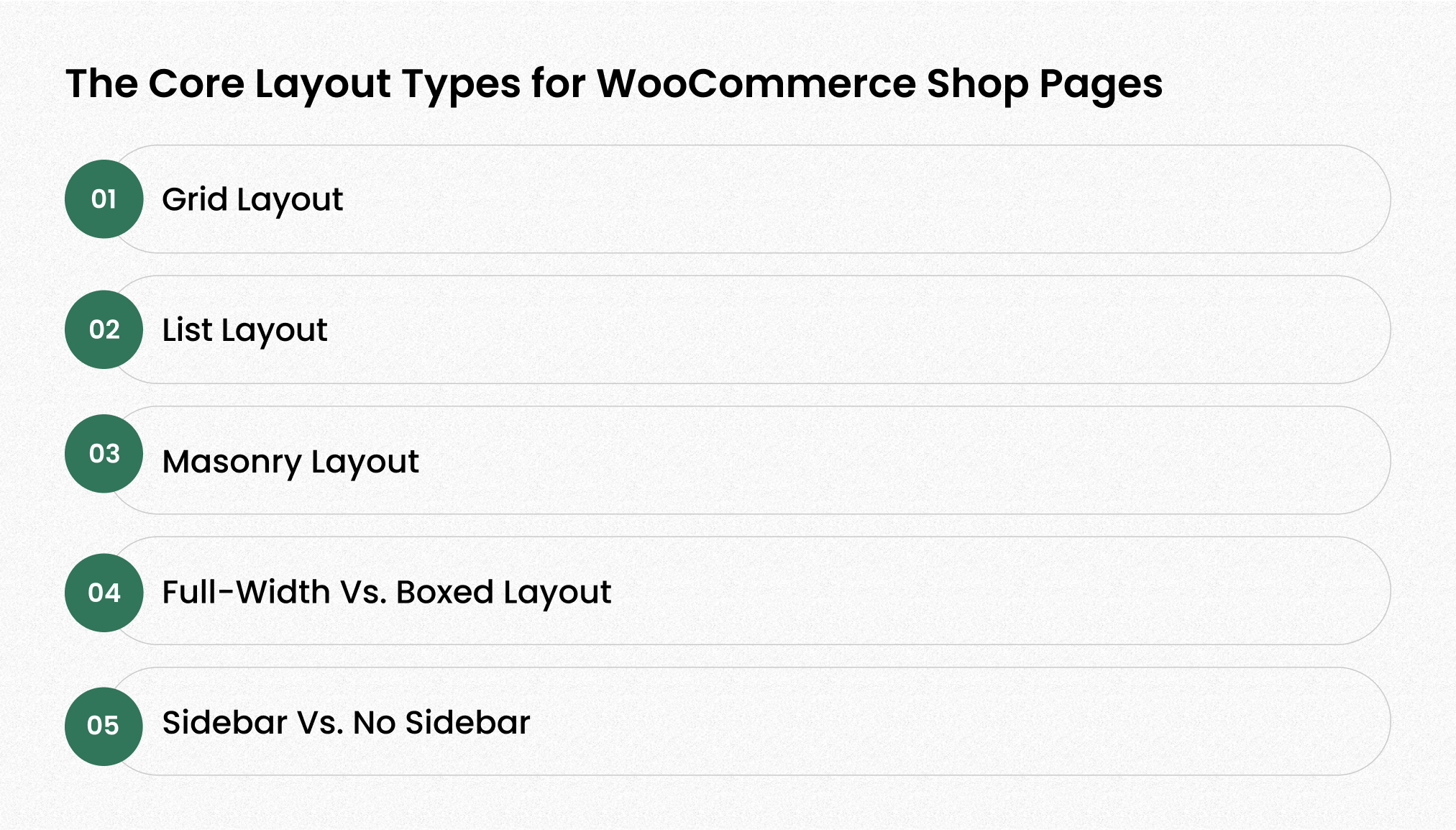
The Core Layout Types for WooCommerce Shop Pages
Understanding layout types before picking a theme saves you from expensive rework later.
1. Grid Layout:
The most widely used format. Works best for stores with visually consistent products, apparel basics, home goods, and electronics. It’s clean and scannable, but since it’s the default on most WooCommerce websites, strong product photography is what separates you from the competition.
2. List Layout:
Underrated. List view shines when customers need to compare specs, features, dimensions, and price. If you sell technical products or run a B2B catalog, this layout earns its place. Most stores ignore it entirely, which is exactly why it can be a differentiator.
3. Masonry Layout:
Built for visual storytelling. Irregular card heights create an editorial, curated feel, ideal for fashion, handmade goods, art, or lifestyle brands. One caveat: if your product photography isn’t consistent, masonry will expose that inconsistency immediately.
4. Full-Width vs. Boxed Layout:
Full-width layouts feel modern, immersive, and breathe better on mobile. Boxed layouts create structure, better for premium or niche brands that want a contained, editorial aesthetic. For most growing WooCommerce websites, full-width is the safer and more conversion-friendly choice.
5. Sidebar vs. No Sidebar:
Large catalog with multiple categories? Keep the sidebar, it’s a filtering tool, not a design relic. Under 30-40 products? Drop it entirely. A sidebar with nothing meaningful to filter adds visual noise and distracts from the shopping path.
What Makes a Good WooCommerce Shop Page Template?
There are hundreds of WooCommerce shop page templates available. Most of them look exceptional in the demo environment, controlled assets, perfect photography, and placeholder text, but in action, the reality is different.
Here’s what to actually evaluate before committing:

1. Speed and Core Web Vitals:
Run the theme demo through Google PageSpeed Insights before you touch it. Speed is a conversion factor, not a nice-to-have. Slow themes cost you rankings and revenue simultaneously.
2. Mobile experience:
Over 60% of e-commerce traffic comes from mobile. A theme that requires a second look at the desktop to adjust for mobile is not mobile-responsive; it’s an afterthought. The WooCommerce shop page template should look and function seamlessly across all screen sizes.
3. Filter and search UX:
Customers should be able to narrow products fast. If your filters are buried, slow, or broken on mobile, you’re creating friction at exactly the wrong moment.
4. Product card design:
Image, product name, price, and add-to-cart should all be immediately visible without scrolling or hovering. Every extra action you require from a customer is a conversion you risk losing.
5. Customization without code dependency:
You should be able to update a button color, swap a font, or adjust spacing without filing a developer request. Look for strong Customizer support or block editor compatibility.
6. WooCommerce block compatibility:
WordPress is moving toward Full Site Editing. Your theme should be built for where the platform is heading, not where it was three years ago.
Best WooCommerce Themes Based on Shop Layout Types!
While layout strategy defines how your store should function, in WooCommerce, your theme controls how that layout is implemented. So choosing the right WordPress theme for an e-commerce store is essentially choosing the right layout foundation.
1. Astra — Best All-Round WooCommerce Theme

Price: Free | Pro from $59/year or $349 lifetime
Astra is one of the most installed themes in the WordPress ecosystem, with over 2.4 million downloads and 5,400+ five-star ratings. It loads in under 0.5 seconds, uses fewer than 10 HTTP requests, and pairs cleanly with Elementor, Gutenberg, or Beaver Builder.
Why Choose Astra:
- Largest pre-built starter template library for WooCommerce stores
- Lightweight core with WooCommerce-specific Pro modules, including quick view, infinite scroll, and dropdown cart
- Broad plugin compatibility, virtually everything has been tested against it
- Works with any page builder without friction
When to Choose: You’re building a new store quickly and need flexibility without starting from scratch. Ideal for small to mid-sized businesses across any product niche.
Astra Reviews: Astra has built strong trust among WordPress users, with an average rating of 4.9 out of 5 stars based on 6,463 reviews on WordPress.org. Most users have rated it 5 stars, which shows its reliability, performance, and ease of use for building WooCommerce stores.
Astra is awesome! Fast and reliable. Best theme.
2. Flatsome — Best for Retail & Fashion Stores
Price: $59 one-time, ThemeForest
Flatsome is the #1 best-selling WooCommerce theme on ThemeForest with 259,000+ sales. Unlike most themes that lean on third-party page builders, Flatsome has its own UX Builder, built specifically for eCommerce. It hits 94-96% on PageSpeed with minimal setup, which is rare for a feature-rich retail theme.
Why Choose Flatsome:
- Proprietary UX Builder designed for eCommerce, with no plugin overhead
- Catalog mode, product video, size guides, and advanced filtering are built in
- Highly visual layouts ideal for fashion, beauty, and lifestyle categories
- Consistently one of the top-rated WooCommerce themes for retail stores
When to Choose: Your store is visually driven, fashion, home décor, beauty, or lifestyle. You want serious eCommerce features without piecing together multiple plugins.
Flatsome Review: Flatsome has received strong user feedback with an average rating of 4.83 out of 5 based on 8,110 reviews. Recent reviewers praise the theme for customizability, feature availability, flexibility, and design quality.
Flatsome is highly rated for customizability, feature availability, flexibility, and design quality.
3. Shoptimizer — Best for Conversion-Focused Stores
Price: $99/year for a single site
Shoptimizer is built with one goal: conversions. It has won independent speed tests for three consecutive years and consistently scores 95%+ on Lighthouse. Features like sticky add-to-cart bars, trust badges below CTAs, sales countdown timers, and animated stock counters are baked in, not bolted on. It’s what a good WooCommerce theme looks like when it’s built around buyer psychology.
Why Choose Shoptimizer:
- Fastest WooCommerce theme in independent speed benchmarks, three years running
- Conversion features, including trust badges, sticky CTA, and urgency timers, built natively
- Optimized checkout with streamlined flow and trust signal placement
- Built on Baymard Institute research, not just design opinions
When to Choose: You’re an established store owner focused on increasing conversion rate, not just traffic. Product categories don’t matter, this theme works across niches.
Shoptimizer Review: Shoptimizer has excellent user feedback, with an average rating of 5.0 out of 5 based on 545 reviews. Most reviewers highlight the theme for its strong WooCommerce performance, clean design, and reliable support.
Shoptimizer is highly rated for its WooCommerce-focused features, fast performance, and reliable customer support.
4. Kadence — Best for Block Editor Users
Kadence is a block-first theme that works beautifully within the native WordPress editor ecosystem. It ships with strong defaults, a professional header/footer builder, and WooCommerce starter templates that cover the most common store layouts.
Why Choose Kadence:
- Deep Gutenberg/block editor integration, with no page builder dependency
- WooCommerce-specific features like Catalog Mode and Advanced Reviews
- Excellent performance baseline with meaningful updates shipped fast
- Strong option for stores building toward Full Site Editing
When to Choose: You prefer working inside the WordPress block editor and want a theme that’s built for where the platform is heading, not where it was three years ago.
Kadence Review: Kadence has strong user feedback, with an average rating of 4.9 out of 5 based on 450 reviews. Most users have given it 5 stars, highlighting the theme’s quality, support, and ease of use for WordPress and WooCommerce websites.
The people behind the Kadence theme are incredible. Great theme, super customer support.
5. Blocksy — Best Free WooCommerce Theme in 2026

Price: Free | Pro from ~$49/year
Blocksy is one of the fastest-growing themes in the WordPress ecosystem heading into 2026, and for good reason. It’s built on modern web technologies, loads exceptionally fast, and has deep WooCommerce integration even in the free version. The real-time Customizer is one of the most responsive in its class.
Why Choose Blocksy:
- Deep WooCommerce support in the free version is rare among good WooCommerce themes
- Extremely fast, lightweight codebase built on modern architecture
- Real-time live preview for all customization changes
- Looks premium without requiring a premium license to get started
When to Choose: You want a modern, professional-looking store without an upfront investment. Great for early-stage businesses and lean startups validating product-market fit.
Blocksy Reviews: Blocksy has excellent user feedback, with an average rating of 5 out of 5 based on 867 reviews. Most users have given it 5 stars, praising the theme for its quality, flexibility, and ease of use.
This is one of the best free themes I’ve seen. Amazing theme. Absolutely excellent.
6. WoodMart — Best for Large Catalogs with Complex Variations
Price: $59 one-time, ThemeForest, 6 months support
WoodMart is a purpose-built WooCommerce theme from the xtemos team. It’s one of the most feature-complete WooCommerce shop page templates on the market. Native AJAX filters, linked variation swatches with SEO-friendly URLs, product comparison, brand filtering, and catalog mode are all included without additional plugins.
Why Choose WoodMart:
- AJAX filtering, variation swatches, and product comparison, all native, with no plugins needed
- SEO-friendly linked swatch URLs for product variant indexing
- Suited for large catalogs with multiple product types and attributes
- One-time pricing with no recurring license cost
When to Choose: You’re running a large product catalog with multiple variations, attributes, and complex filtering needs. Especially relevant for electronics, automotive parts, or multi-brand retail stores.
WoodMart Reviews: WoodMart has strong user feedback, with an average rating of 4.91 out of 5 based on 3,598 reviews. Users commonly praise the theme for feature availability, design quality, flexibility, and customizability.
My favorite theme ever. They did a great job on the UI/UX. WoodMart is highly rated for feature availability, design quality, flexibility, and customizability.
7. OceanWP — Best Free Option for Feature-Rich Stores

Price: Free | Custom eCommerce addons from $35-$39/year
OceanWP is one of the most generous good WooCommerce themes in terms of what’s available in the free version. Floating add-to-cart bar, quick view, off-canvas cart, and 20+ shop layouts are all unlocked without paying a cent. It scores 99% on GTmetrix and 97/88 on Google PageSpeed Insights, strong numbers for a free theme.
Why Choose OceanWP:
- Most WooCommerce features are available in the free version compared to alternatives
- The floating add-to-cart bar keeps the buy button visible as users scroll
- 20+ shop layout options for flexible WooCommerce shop page presentation
- 99% GTmetrix score with clean, documented code
When to Choose: You need a capable, well-performing store on a tight budget. Also, a strong choice for testing a product idea before investing in a premium setup.
OceanWP Reviews: OceanWP has strong user feedback, with an average rating of 4.9 out of 5 based on 5,702 reviews. Most users have rated it 5 stars, highlighting the theme for its UI, value, flexibility, and reliability for WordPress and WooCommerce websites.
Awesome theme. The best UI interface. Great value. Love this theme. Works fantastic.
8. Neve — Best for Core Web Vitals & SEO-First Stores

Price: Free | Pro from $69/year
Neve is built specifically around Google’s Core Web Vitals requirements, and it shows. It achieves 90/100 on PageSpeed Insights mobile with a 1.3-second LCP, making it one of the highest-performing free themes for organic search. The Pro version adds a WooCommerce Booster module with checkout customization, product card controls, and advanced catalog display options.
Why Choose Neve:
- Highest mobile Core Web Vitals scores among free WooCommerce themes
- AMP support is built in for maximum mobile search compatibility
- Streamlined checkout flow and responsive product grids in the free version
- WooCommerce Booster module in Pro for conversion-layer customization
When to Choose: SEO is your primary acquisition channel, and mobile rankings matter. Neve is also a strong pick for content-heavy stores where blog and shop need to coexist at high performance levels.
Neve Reviews: Neve has strong user feedback, with an average rating of 4.7 out of 5 based on 1,277 reviews. Users appreciate it for being clean, lightweight, easy to use, and suitable for blogs, business websites, and WooCommerce stores.
I like Neve. It works great for my blog. Smart and clean. A wonderful clean and beautiful theme.
Top-Rated WooCommerce Themes: What to Look for Beyond Looks?
A 4.9-star rating means nothing if the developer hasn’t pushed an update in 14 months.
WooCommerce itself updates frequently. Your theme needs to stay current with those changes, or you risk compatibility breaks at the worst possible moment.
Before choosing among the top-rated WooCommerce themes, check:
- Changelog frequency — Is the theme actively maintained? Look at the update history, not just the version number.
- Support response time — Read the 2 and 3-star reviews. That’s where the real picture lives. How does the developer respond when something breaks? How does their support team work? Do they have documentation? Do they have 24/7 support available?
- Demo vs. reality gap — Always test against your actual content. A theme that looks exceptional with studio photography and one-word product names may look very different with real catalog data.
- All-in-one themes — Approach with caution. Themes that bundle a page builder, mega menu, popup system, and slider into one package often do all of it slowly. A lean theme paired with targeted plugins almost always outperforms a bloated all-in-one.
Also worth reading: Best WordPress eCommerce Themes — Free and Paid for a deeper comparison with real performance benchmarks.
Common WooCommerce Shop Page Design Mistakes Killing Your Sales

These mistakes are more common than they should be, and each one has a direct cost.
Dumping 200 products on one page with no filtering — That’s not a catalog. That’s a wall. Implement pagination, filtering, or infinite scroll. Pick one approach, implement it properly, and make it work on mobile first.
No visual hierarchy on product cards — When image, price, title, and CTA all fight for equal attention, none of them wins. Design with a clear order: image → product name → price → CTA. Every time.
Designing desktop-first and “hoping” mobile works — Mobile is where more than half of your traffic lands. If your mobile layout feels like a scaled-down version of a desktop, it’s not a mobile layout; it’s a compromise.
Slow theme, endless excuses — It’s the hosting. It’s the plugins. Sometimes. But a bloated theme that loads 12-15 scripts on every page is a common, fixable culprit. Check your theme’s actual performance footprint before blaming everything else.
Copy-pasting the demo — The demo looks good because it was built under perfect conditions. Your store needs a layout built around your actual products, your actual customers, and your actual conversion goals. The demo is a starting point, not a finish line.
How to Customize Your WooCommerce Shop Layout Without Breaking Things?
There are three legitimate routes, and knowing which one fits your situation saves real time and money.
Template file overrides — If you’re comfortable with PHP, overriding WooCommerce template files in a child theme gives you precise, sustainable control over the shop page structure. It’s the cleanest long-term solution and the one least likely to break on plugin updates, but it requires development experience.
Page builders — Elementor, Beaver Builder, and similar tools let you visually redesign your shop page without writing code. Fast to execute, accessible to non-developers, but watch carefully for compatibility issues whenever WooCommerce or the builder itself updates.
Full Site Editing (FSE) — If you’re running a block-based theme, FSE lets you redesign globally through the native WordPress editor. It’s where the platform is heading, the tooling is maturing quickly, and it’s worth learning now rather than later.
Not sure which route is right for your store? That’s exactly where having the right development partner saves weeks of trial and error.
Hire a Dedicated WooCommerce Developer
Conclusion
The decisions you make at the layout level set the ceiling for everything downstream: your SEO, your conversion rate, your customer experience, and your brand credibility.
Pick a layout that matches how your customers actually shop. Choose a WooCommerce shop page template that’s fast, actively maintained, and mobile-ready. Customize it around your real products and real goals. And audit the common mistakes before they quietly drain your revenue.
The good news: none of this requires starting over. It requires starting smart.
We build WooCommerce stores that are fast, clean, and built to convert. No overpromising. No fluff. Just work that performs.
Ready to move fast? Hire a dedicated WooCommerce developer in 48 hours, pre-vetted, no guesswork, no agency overhead.
Frequently Asked Questions (FAQs)
What is the fastest WooCommerce theme available in 2026?
GeneratePress and Shoptimizer consistently top independent speed benchmarks. GeneratePress wins on raw page size with a 7.5KB base, while Shoptimizer leads in conversion-focused performance with a 95%+ Lighthouse score.
Do I need a premium WooCommerce theme, or will a free one work?
Free themes like Blocksy, Neve, and OceanWP are genuinely capable for most stores. You need a premium theme when you require advanced filtering, variation swatches, conversion tools, or niche-specific layouts that free versions don’t cover.
How does a WooCommerce shop page template affect SEO?
Directly. Themes with clean code, fast load times, mobile responsiveness, and proper HTML hierarchy help Google crawl and rank your product pages better. A slow or bloated theme actively hurts your rankings regardless of your content quality.
Can I switch WooCommerce themes without losing my store data?
Yes, your products, orders, and customer data live in the database, not the theme. But switching themes can break your layout, customizations, and any theme-specific shortcodes. Always test on a staging site before switching on a live store.
What’s the difference between a WooCommerce shop page template and a full theme?
A theme controls your entire site’s design and structure. A WooCommerce shop page template is the specific file or layout that controls how your product catalog page looks; it’s a component within the theme. You can override just the shop template without changing the whole theme.
How many products should I display on a WooCommerce shop page?
12-24 products per page is a solid default for most stores. Beyond that, use filtering and pagination. Showing too many products at once slows load time and overwhelms visitors, both of which hurt conversions.

- Recover Lost Sales
- Boost Conversions
- Reduce Abandonment
- Faster Store
📘 FREE REPORT
The Shopify Revenue Leaks Report
Discover the hidden mistakes silently costing Shopify stores thousands every month—and learn exactly how to fix them.
Instant access • No spam • Unsubscribe anytime.